The Essential Guide to Business Card in QR Code 2026
17 minutes
17th of January 2026
In this article:
- The Evolution of Business Cards: From Paper to QR Code
- Key Benefits of Business Cards with QR Codes
- Types of QR Codes for Business Cards: Choosing the Right Format
- Designing and Printing Business Cards with QR Codes: Best Practices
- How to Create a Business Card with a QR Code: Step-by-Step Guide
- Real-World Use Cases and Industry Applications
- The Future of Business Cards in QR Code: Trends for 2026 and Beyond
Imagine exchanging business cards that instantly connect contacts, share portfolios, and track engagement, all with a single scan. The business card in qr code is changing how professionals network and present themselves in 2026.
This guide offers a comprehensive look at the new standard for business introductions. Discover the benefits, explore types, learn design best practices, follow step-by-step creation tips, and see real-world examples.
As networking shifts to digital-first, QR codes bridge offline and online connections. Unlock enhanced engagement, seamless sharing, and greater brand visibility. Ready to implement and optimize your business card in qr code? Let’s begin.
The Evolution of Business Cards: From Paper to QR Code
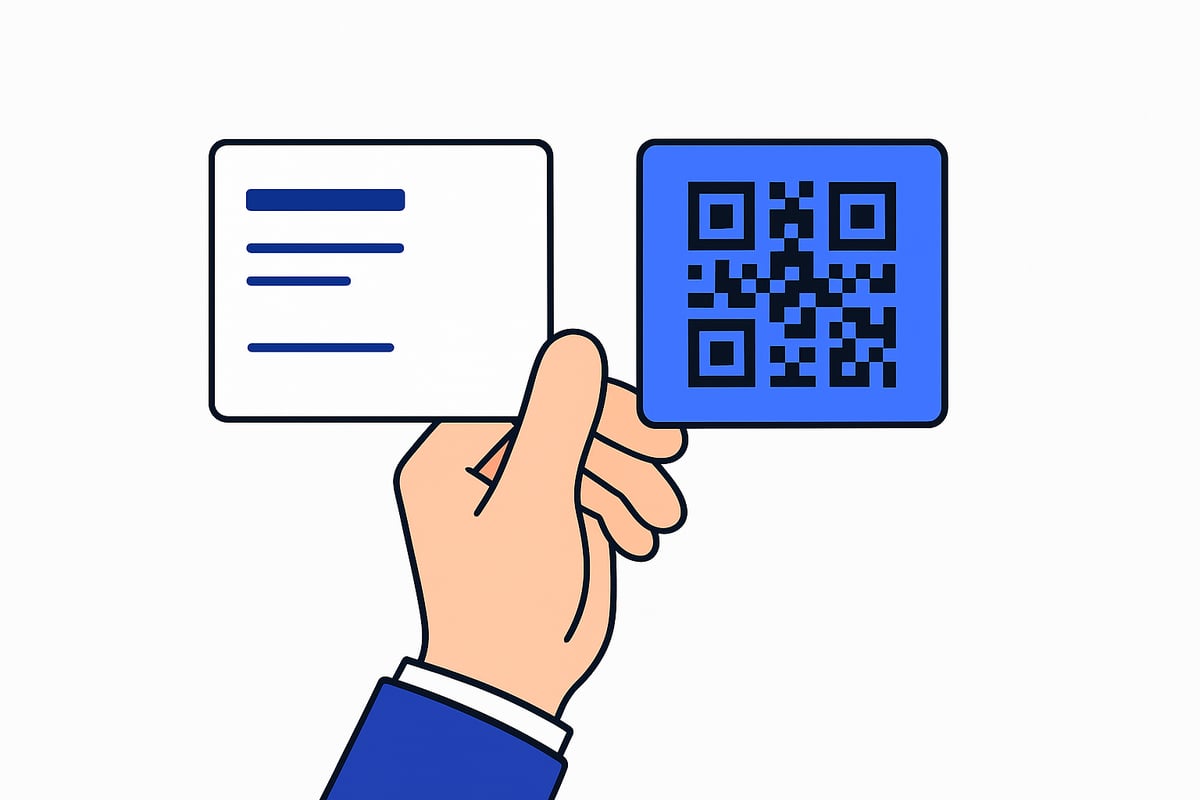
The business card in qr code marks a pivotal moment in how professionals connect, share information, and present their brands. This evolution did not happen overnight. Let us explore the journey from traditional paper cards to the digital transformation that is shaping networking in 2026.
The Traditional Business Card: Limitations and Legacy
Paper business cards have long been a staple in professional networking. For centuries, these cards represented identity and credibility. However, as the pace of business accelerated, several drawbacks became clear.
Common challenges included:
- Limited space for contact and brand information
- Manual data entry leading to errors and inefficiency
- Outdated details requiring frequent reprints
- Environmental impact from paper production and waste
According to industry data, the global business card printing market has seen steady demand, yet 88 percent of business cards are discarded within a week of receipt. This high discard rate reflects shifting expectations. Professionals now seek quicker, more reliable ways to connect.
Missed opportunities are common when cards are lost or information is no longer current. As digital habits grew, so did the call for a smarter solution. The business card in qr code began to emerge as that solution, offering a bridge between legacy methods and new technology.
The Rise of QR Codes in Business Networking
The introduction of QR codes transformed the humble business card into a dynamic networking tool. Initially used in logistics, QR codes found a new role connecting physical encounters with digital experiences.
The pandemic accelerated the need for contactless exchanges. As a result, QR code usage on business cards surged, with a 31 percent increase from 2022 to 2025. This trend is supported by the QR Code Adoption Statistics 2025, which highlights rising adoption across industries and geographies.
A business card in qr code format enables instant data transfer, updatable content, and improved sustainability. For example, at networking events, cards with QR codes led to a 38 percent increase in engagement, as attendees could access live portfolios, contact forms, or videos with a single scan.
QR codes overcome traditional card limitations:
- No manual data entry, reducing errors
- Real-time updates without reprinting
- Eco-friendly, supporting corporate responsibility
This shift points toward a future where seamless integration and interactivity become the norm.
Why 2026 Is the Tipping Point
Several factors make 2026 a defining year for the business card in qr code. Advances in smartphone cameras and universal QR code recognition mean scanning is now effortless for everyone. Digital wallets like Apple and Google Wallet allow users to store and share business cards directly from their phones.
Integration with CRM and contact management systems streamlines follow-ups and lead tracking. Today’s professionals expect interactive, multimedia-rich introductions, not just static text. Environmental regulations and corporate sustainability goals further accelerate the move to digital solutions.
As a result, the business card in qr code has become the new standard for modern networking. Professionals who adapt now are better positioned to thrive in a digitally connected world, where efficiency, engagement, and eco-consciousness are paramount.
Key Benefits of Business Cards with QR Codes
Adopting a business card in qr code format delivers a range of practical advantages for professionals and organizations. These benefits go far beyond simple contact sharing, transforming the way connections are made and maintained.

Instant, Error-Free Contact Sharing
One of the most compelling reasons to use a business card in qr code format is how seamlessly it enables contact exchange. Instead of manually entering details, a single scan imports full information directly into a phone’s address book.
This error-free process reduces the risk of typos or lost data. vCard and vCard Plus QR codes make it possible to save names, phone numbers, emails, and more with just a tap. For busy professionals, this level of efficiency is invaluable.
Enhanced Brand Engagement and Interactivity
A business card in qr code format does more than just share contact information. It opens the door to interactive experiences. You can link recipients to your website, portfolio, social media, or even video introductions.
Dynamic QR codes let you update these links in real time, so your card always reflects your current offerings. Creative professionals and marketers use this feature to showcase portfolios, demos, or testimonials, making every introduction memorable.
Increased Follow-Ups and Conversion Rates
With a business card in qr code, you can embed lead forms, booking links, or chatbots into your digital destination. This direct path makes it easier for contacts to take action immediately after meeting you.
According to QR Code Usage Trends in Marketing, brands using QR codes have seen dramatic increases in engagement and conversions. Event organizers and sales teams report up to 630 percent more follow-ups and 38 percent higher engagement rates.
Eco-Friendly and Cost-Effective Networking
Transitioning to a business card in qr code format is a smart move for sustainability and budget. Digital cards eliminate the need for frequent reprints, cutting down on paper waste.
Organizations can update role or contact details online, reducing long-term expenses. Studies show companies save up to 70 percent on business card costs when switching to digital QR code cards.
Versatility Across Platforms and Devices
A business card in qr code adapts to any networking scenario. You can print the code on traditional cards, add it to email signatures, use it in virtual meeting backgrounds, or share it via NFC and digital wallets.
Recipients do not need a special app, making these cards universal. Consultants and remote teams especially benefit from the flexibility to share their details anywhere, anytime.
Real-Time Data, Security, and Privacy
Dynamic QR codes provide real-time analytics, showing how often your business card in qr code is scanned and which links are most popular. You can control and update shared information instantly, enhancing privacy.
Solutions are often GDPR-compliant and offer encryption to protect sensitive data. This ensures your networking remains both effective and secure.
Spreadly: Leading Digital Business Card Solution
Spreadly stands out as a top provider for those seeking a business card in qr code format. Their platform offers customizable digital business cards with advanced features like media embeds, lead capture, and analytics.
Spreadly integrates with HR and CRM systems, supports custom branding, and complies with GDPR standards. Trusted by major organizations, it delivers quick setup, NFC support, and does not require recipients to install an app.
Types of QR Codes for Business Cards: Choosing the Right Format
Selecting the right type of business card in qr code is essential for making meaningful connections. Understanding the available QR code formats allows you to match your networking goals with the best technology.
Static vs. Dynamic QR Codes
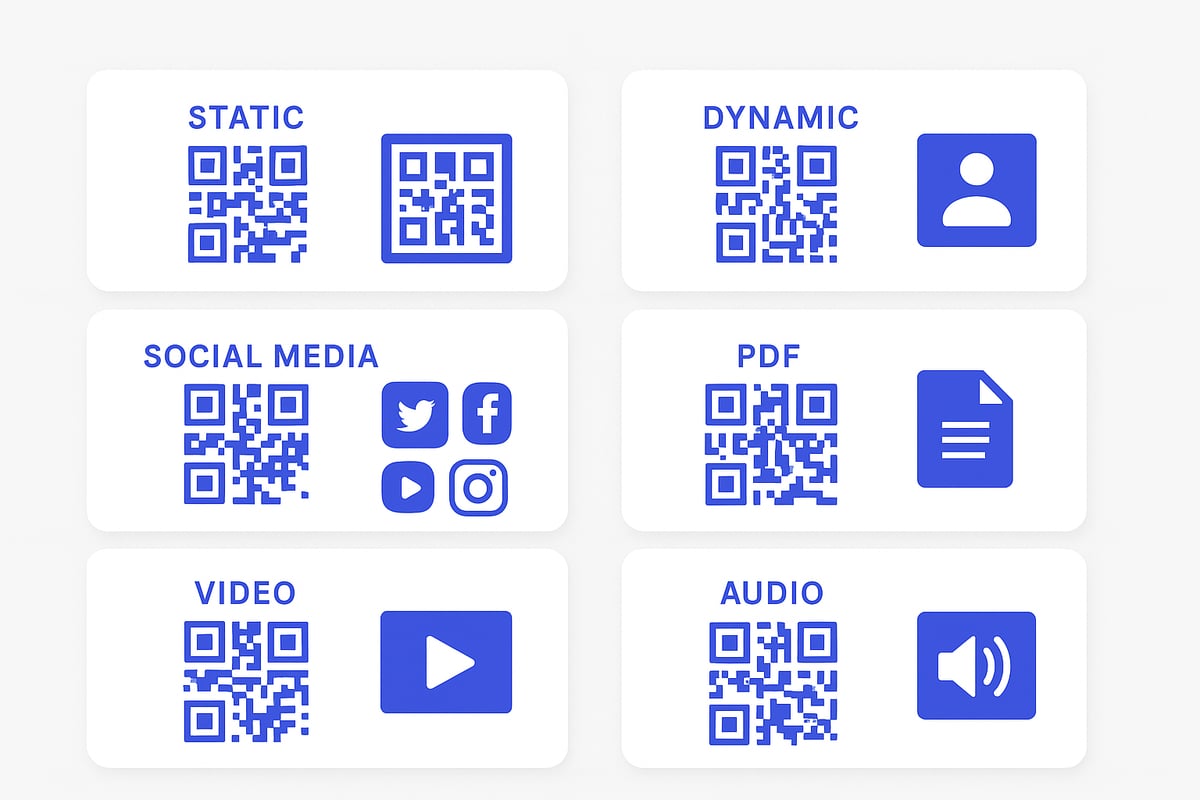
When choosing a business card in qr code, the first decision is between static and dynamic formats. Static QR codes point to a fixed destination, such as a single website URL. Once printed, their content cannot be changed.
Dynamic QR codes, on the other hand, allow you to update the linked content at any time. They also offer analytics, letting you track scans and engagement. For most professionals, dynamic codes provide flexibility and insights that static codes cannot match.
Comparison Table:
| Feature | Static QR Code | Dynamic QR Code |
|---|---|---|
| Editable Link | No | Yes |
| Analytics | No | Yes |
| Security | Basic | Enhanced |
| Use Case | Simple URLs | Updatable cards |
vCard and vCard Plus QR Codes
vCard QR codes are the industry standard for sharing contact information. Scanning this type imports your details directly into a phone's address book.
vCard Plus takes this concept further by adding photos, social links, and downloadable files. This richer introduction can help you stand out in a stack of cards. Professionals using vCard Plus can showcase their portfolios or certifications right from their business card in qr code.
Social Media QR Codes
A business card in qr code can also connect people to all your social profiles at once. Social media QR codes aggregate links to platforms like LinkedIn, Instagram, and Twitter on a single, mobile-friendly page.
This approach is ideal for marketers, influencers, and brands seeking to grow their online presence. For example, a cafe owner can use a QR code to direct customers to their latest posts across multiple channels.
URL, PDF, and App Store QR Codes
Some QR codes link directly to a website, product page, or downloadable PDF such as a resume or portfolio. App Store QR codes are designed to send users straight to your app in Apple or Google Play.
Personal trainers, for instance, might use a business card in qr code to encourage clients to download their fitness app or view their training schedule in a PDF.
Specialized QR Codes (Video, Audio, Lead Forms)
Specialized QR codes can deliver a business card in qr code experience featuring video introductions, audio clips, or embedded lead forms. Musicians may share demo tracks, while event managers can collect attendee information via instant forms.
This multimedia approach creates a more engaging and memorable first impression, making your card truly interactive.
Security and Privacy Considerations
Choosing a reputable QR code provider ensures your business card in qr code meets privacy and security needs. Look for encryption, GDPR compliance, and the ability to customize short URLs for brand recognition and trust.
For more expert advice on secure and effective QR code design, including placement and branding, see QR Code Design Best Practices.
The right QR code format will empower your business card in qr code to deliver value, interactivity, and security for every professional connection.
Designing and Printing Business Cards with QR Codes: Best Practices
Designing a business card in qr code format is more than just adding a digital touch. Every detail matters, from QR code placement to card stock choice. These best practices ensure your business card in qr code format stands out, remains scannable, and aligns with your professional image.
Placement and Sizing for Maximum Scanability
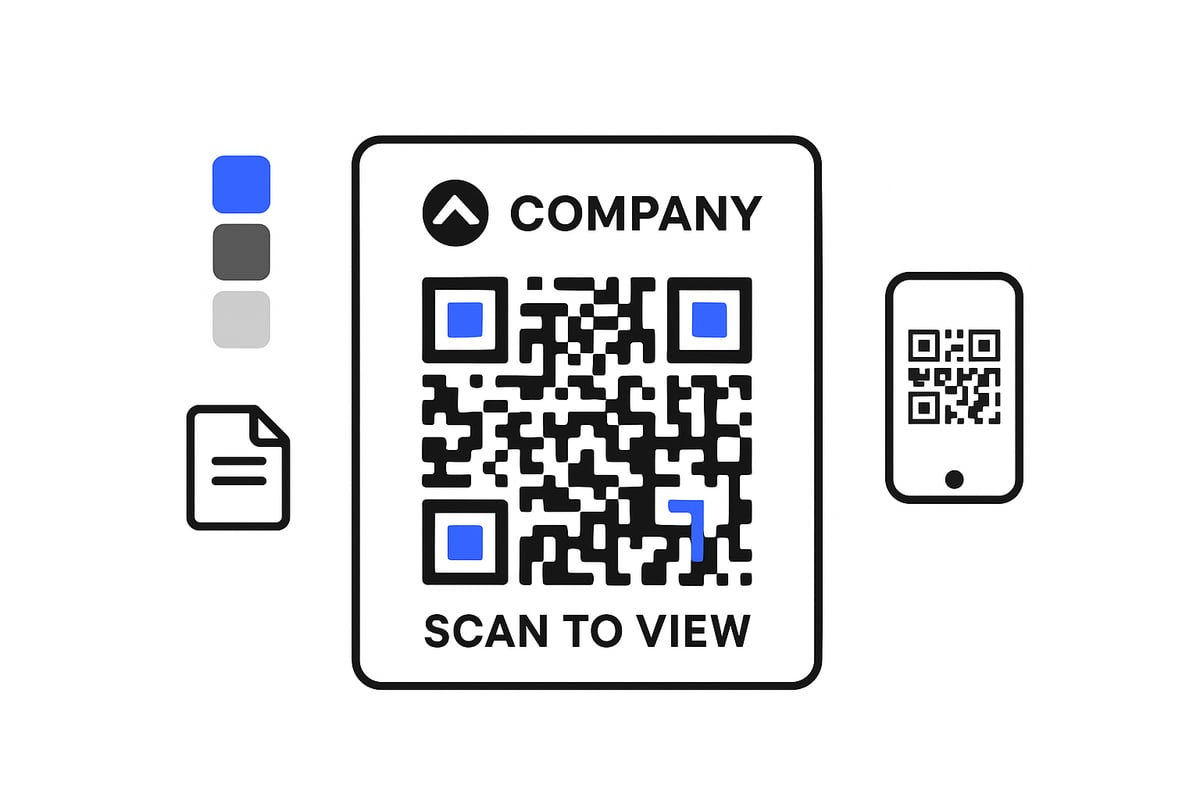
Optimal placement and sizing are critical when designing a business card in qr code format. The QR code should be at least 2x2 cm to guarantee reliable scanning across devices. Avoid placing the code near card edges or over busy backgrounds, as this can hinder scanability.
Leave enough white space around the QR code for contrast. Before finalizing your design, test scanability on multiple devices. For a deeper dive into technical requirements, see these QR Code Size and Print Guidelines.
Customization: Colors, Frames, and Logos
A business card in qr code design offers endless branding options. Move beyond standard black-and-white by incorporating brand colors, unique frames, and organizational logos. Adding a logo or icon within the QR code itself can boost brand recognition and trust.
Experiment with colored QR codes, but always maintain contrast between the QR code and the background. Use frames or callouts like "Scan Me" to draw attention to the code area.
Clear Instructions and Calls to Action
Even the most visually striking business card in qr code format needs guidance for the user. Always include a concise instruction, such as "Scan to connect" or "View my portfolio." Clear calls to action can increase scan rates by up to 50 percent.
Consider placing the CTA near the QR code or using a speech bubble graphic. Testing different CTA placements and wording can help optimize engagement and ensure users know exactly what to do.
Consistency with Overall Brand Identity
Your business card in qr code should reflect your brand’s look and feel. Use consistent fonts, colors, and design elements that match your other marketing materials. Consistency builds trust and reinforces recognition.
Professional templates from tools like Adobe Express, Spreadly, or Canva can help maintain this alignment. For larger organizations, centrally managed design templates ensure every team member’s card meets brand standards.
Dynamic Content and Updatability
A key advantage of a business card in qr code format is its ability to stay current. Dynamic QR codes allow you to update contact details, job titles, or links without reprinting cards. This flexibility is invaluable for professionals who experience frequent role or information changes.
Choose dynamic QR code solutions when you anticipate needing to update your card’s digital destination. This approach saves both time and resources while ensuring recipients always see your latest information.
Accessibility and Compliance
Design your business card in qr code format with accessibility in mind. Use high-contrast color combinations for both QR code and text. Include alternative contact methods, such as a phone number or email, for users unable to scan QR codes.
Ensure GDPR and privacy policy links are easily accessible if you collect data via your QR code. This practice not only builds trust but also keeps your networking efforts compliant with privacy regulations.
Printing Materials and Finishes
The tactile feel of your business card in qr code design leaves a lasting impression. Opt for high-quality, durable card stock or eco-friendly recycled materials. Explore finishes like matte, glossy, or embossed QR codes for added appeal.
Consider NFC-enabled cards for hybrid digital experiences. Test print samples to verify that QR codes remain scannable and visually appealing with your chosen finish. Well-chosen materials reinforce your professionalism and commitment to sustainability.
How to Create a Business Card with a QR Code: Step-by-Step Guide
Creating a business card in qr code format is straightforward and can transform your networking experience. Follow these seven practical steps to ensure your card stands out and performs effectively in every professional setting.
Step 1: Define Your Networking Goals and QR Code Destination
Start by clarifying what you want your business card in qr code to achieve. Do you want to share contact details, showcase a portfolio, direct users to your website, or collect leads through a form?
Write down your top networking goals. Then, choose the right QR code type for your needs, such as vCard for direct contact sharing, URL for websites, or dynamic QR codes for updatable content. Deciding on your destination early helps guide your design and ensures your card supports your objectives.
Step 2: Generate Your QR Code
Use trusted tools to create your business card in qr code. Input your chosen destination, making sure all details are accurate. For flexibility and analytics, select a dynamic QR code solution.
Compare popular QR code generators:
| Generator | Dynamic Codes | Branding Options | Analytics |
|---|---|---|---|
| Spreadly | Yes | Yes | Yes |
| Adobe Express | Yes | Yes | Limited |
| QR Code Generator PRO | Yes | Yes | Yes |
After generating, download your QR code in a high-resolution format.
Step 3: Customize Your QR Code
Customization helps your business card in qr code stand out. Apply brand colors, add your company logo, and use a custom frame or border. Always include a clear call to action, such as “Scan to connect,” to prompt engagement.
Example code for a vCard QR code payload:
BEGIN:VCARD
VERSION:3.0
FN:Jane Doe
TEL:1234567890
EMAIL:jane.doe@email.com
END:VCARD
Preview your QR code on different backgrounds to ensure visibility and scanability.
Step 4: Design Your Business Card Layout
Integrate your QR code into the overall card design. Use professional design tools like Adobe Express, Canva, or Spreadly to balance all elements—name, job title, logo, and contact info.
Tips for effective layout:
- Place the QR code in a prominent location, avoiding edges.
- Maintain at least 2x2 cm of unobstructed space.
- Use high contrast between the QR code and the card background.
Consistency with your brand identity is crucial for a memorable business card in qr code.
Step 5: Test Your QR Code Thoroughly
Before printing or sharing your card, test the QR code with multiple devices and apps. Scan using both iOS and Android phones, and check that all links, downloads, or contact imports work correctly.
If the QR code is not scanning easily, adjust the size, increase the contrast, or improve the error correction level. Testing prevents issues and ensures a smooth experience for your recipients.
Step 6: Print or Distribute Digitally
Choose high-quality printing services if you need physical cards. Consider eco-friendly or recycled materials to support sustainability. For digital sharing, add your business card in qr code to email signatures, virtual backgrounds, or digital wallets like Apple or Google Wallet.
Modern teams often distribute digital cards for both remote and in-person networking, maximizing convenience and reach.
Step 7: Track Engagement and Update as Needed
With dynamic QR codes, you can monitor scans and interactions through analytics dashboards. Track which contacts engage with your business card in qr code, and use this data to refine your approach.
Update your QR code destination or card content as your role or offerings evolve. For example, sales teams can quickly switch links to new campaigns or event pages, ensuring their networking efforts stay relevant and effective.
Real-World Use Cases and Industry Applications
Across industries, the business card in qr code is transforming professional connections. Companies and individuals are leveraging this technology to streamline networking, drive engagement, and gain actionable insights. Let us explore how different sectors are putting digital cards into practice.
Business and Professional Services
Consultants, legal professionals, and executives rely on the business card in qr code for efficient and secure networking. By embedding contact info, LinkedIn profiles, and booking links, they enable one scan access to their full suite of services.
- Share detailed service portfolios instantly
- Link to Calendly or meeting scheduling tools
- Update credentials or certifications without reprinting
A management consultant, for example, can direct potential clients to case studies or testimonials, making a strong impression in seconds.
Creative Industries and Freelancers
For designers, photographers, and artists, the business card in qr code is a gateway to dynamic portfolios and real-time updates. Freelancers can showcase their latest work, integrate social media, and stand out in competitive markets.
- Link to Instagram, Behance, or personal websites
- Feature video intros or digital galleries
- Downloadable resumes or project highlights
A graphic designer can update their showcased projects instantly, ensuring prospects always see the freshest examples.
Sales, Marketing, and Events
Sales teams and event organizers are achieving measurable results with the business card in qr code. By embedding lead capture forms, CRM integration, and analytics, they significantly boost follow-up rates and engagement.
- Auto-import leads into CRM platforms
- Schedule demos or calls directly from the card
- Monitor scan activity and conversion rates
Industry data reports a 630% increase in follow-ups using QR code business cards at events, making this approach essential in fast-paced sales environments.
Real Estate, Hospitality, and Retail
Realtors, restaurant managers, and retail teams are leveraging the business card in qr code to connect with clients and guests. These cards can link to property listings, virtual tours, menus, or customer feedback forms.
- Showcase property videos and 3D walkthroughs
- Share digital menus or loyalty programs
- Collect instant customer reviews
For example, a real estate agent can send prospects directly to a live property tour, streamlining the buying journey.
Education, Healthcare, and Nonprofits
In education and healthcare, the business card in qr code supports instant access to resources and appointment scheduling. Nonprofits use QR cards to drive donations and share campaign information.
- Teachers share resource links or feedback forms
- Healthcare professionals offer contactless appointment booking
- Nonprofits link directly to donation pages
A teacher at a conference can distribute a QR card linking to class materials, making follow-up seamless for attendees.
Enterprise and Team Deployments
Large organizations are adopting the business card in qr code for centralized and scalable networking solutions. HR teams distribute digital cards to staff, ensuring brand consistency and up-to-date information.
- Integrate with HR or CRM systems for automated updates
- Enable role-based access to contact info
- Deploy organization-wide branding templates
Companies like Volkswagen Financial Services have implemented digital cards across teams, streamlining onboarding and internal communication.
Measuring Success: Analytics and ROI
The business card in qr code provides real-time analytics on scans, interactions, and conversions. Teams can track ROI and refine strategies based on data-driven insights.
| Metric | Traditional Cards | QR Code Cards |
|---|---|---|
| Follow-up Rate | Low | Up to 630% higher |
| Engagement Tracking | None | Real-time analytics |
| Update Flexibility | Requires reprint | Instant online update |
Marketing teams can adjust campaigns in response to scan data, ensuring every interaction is optimized for maximum impact.
The Future of Business Cards in QR Code: Trends for 2026 and Beyond
The future of networking is being reshaped by rapid advancements in digital technology. As professionals demand instant, interactive, and secure ways to connect, the business card in qr code format is evolving to meet these expectations. Let’s explore the trends defining 2026 and beyond.
Integration with Digital Wallets and Mobile Platforms
Universal compatibility is now standard. Professionals can store and share their business card in qr code through Apple Wallet, Google Wallet, and similar platforms. Tap-to-share features allow contacts to be added instantly, streamlining the networking process.
Mobile platforms support direct imports, making it easier than ever to connect. This seamless integration boosts efficiency at events and meetings.
AI and Personalization
Artificial intelligence is enhancing how business card in qr code solutions deliver value. AI-driven recommendations tailor contact details, content, and even landing pages based on the recipient’s profile or industry.
Personalized video introductions or dynamic content are triggered by each scan, ensuring every interaction feels unique and relevant. This level of customization increases engagement and memorability.
Enhanced Security and Privacy Features
Security is paramount as digital networking grows. New business card in qr code platforms offer biometric authentication for access to sensitive contact information, ensuring only authorized individuals can view details.
Advanced encryption and user consent controls adhere to strict privacy standards. These features help professionals protect their data and build trust with new connections.
Multimedia and Interactive Experiences
In 2026, the business card in qr code is more than just a digital handshake. Embedded video, audio snippets, and product demos create interactive experiences directly from the card.
Augmented reality (AR) features allow recipients to view immersive brand stories or 3D product models. This trend transforms the traditional exchange into a memorable digital introduction.
Centralized Management and Automation for Teams
Large organizations benefit from centralized management of digital business cards. Integration with HR and CRM systems automates deployment, updates, and analytics across teams.
Role-based access ensures only relevant information is shared. Automated updates keep company-wide contact data accurate and up to date.
Sustainability and Eco-Conscious Networking
Environmental concerns are driving a shift toward sustainable solutions. The business card in qr code format reduces paper waste and encourages the use of recyclable and NFC-enabled materials.
Companies can track and report on the environmental impact of their networking practices. This commitment to eco-consciousness aligns with global sustainability goals and modern corporate values.
Evolving User Expectations and Global Adoption
By 2026, the business card in qr code is the professional standard across industries and regions. Users expect instant access, interactive features, and seamless digital experiences.
This widespread adoption fosters a more connected, efficient, and innovative business environment worldwide.
Preparing for What’s Next
To stay competitive, organizations should monitor new developments in business card in qr code technology. Investing in adaptable, future-ready solutions ensures ongoing success in a rapidly changing landscape.
By embracing these trends, professionals position themselves at the forefront of digital networking and relationship building.
As you’ve seen, QR code business cards are transforming the way we connect, share information, and build relationships—making networking faster, smarter, and far more engaging. If you’re ready to experience the convenience of customizable digital cards, effortless updates, and seamless sharing across any platform, why not explore it for yourself? You don’t need a designer, printer, or even an app to get started. Take the next step toward modern, eco-friendly networking and Try for free. It’s fast, flexible, and lets you see just how much easier professional connections can be.