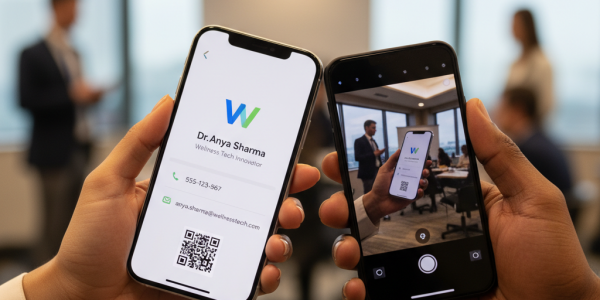
Digital Networking Tool with CRM Sync for Modern Teams
11 minutes
9th of June 2026
In this article:
- Why CRM Integration Matters for Networking Tools
- Key Features of Effective CRM-Synced Networking Tools
- Implementation Best Practices for CRM Synchronization
- Measuring ROI from Integrated Networking and CRM
- Advanced Capabilities in Modern Networking-CRM Integration
- Selecting the Right Platform for Your Organization
- Industry-Specific Applications
- Future Trends in Networking-CRM Integration
- Getting Started with CRM-Synced Networking
Modern sales and networking professionals face a persistent challenge: capturing valuable contacts at events, conferences, and meetings, only to spend hours manually entering data into CRM systems. A digital networking tool with CRM sync solves this friction by automatically transferring contact information from networking interactions directly into your customer relationship management platform. This integration eliminates data entry errors, accelerates follow-up timelines, and ensures your sales pipeline reflects real-time networking activity. As businesses navigate increasingly competitive markets in 2026, the ability to seamlessly connect networking efforts with CRM workflows has become essential for maintaining momentum and converting connections into revenue.
Why CRM Integration Matters for Networking Tools
Sales teams lose an estimated 20-30% of leads due to slow follow-up times and data entry errors. When networking happens through physical business cards or manual contact exchanges, the gap between meeting someone and having their information properly logged in your CRM can stretch to days or even weeks.
A digital networking tool with CRM sync addresses this bottleneck by creating an automated pipeline from initial contact to CRM record. The moment someone shares their digital business card or you scan their information, that data flows directly into your sales platform without human intervention.
The Cost of Manual Data Entry
Time investment represents just one dimension of the problem. Consider these additional challenges:
- Typographical errors in email addresses or phone numbers that prevent future contact
- Inconsistent formatting across records that complicates segmentation and reporting
- Lost context about where and when connections were made
- Delayed follow-ups that reduce conversion rates by 400% compared to immediate responses
- Duplicate records that create confusion and waste sales team effort
Research from bidirectional sync strategy experts shows that properly configured CRM synchronization reduces data quality issues by up to 80% while cutting administrative overhead significantly.

Real-Time Data Flow Advantages
When your digital networking tool with CRM sync operates in real time, sales representatives gain immediate visibility into new connections. This enables same-day follow-up emails, proper lead scoring based on interaction quality, and assignment to the appropriate sales team member based on territory or expertise.
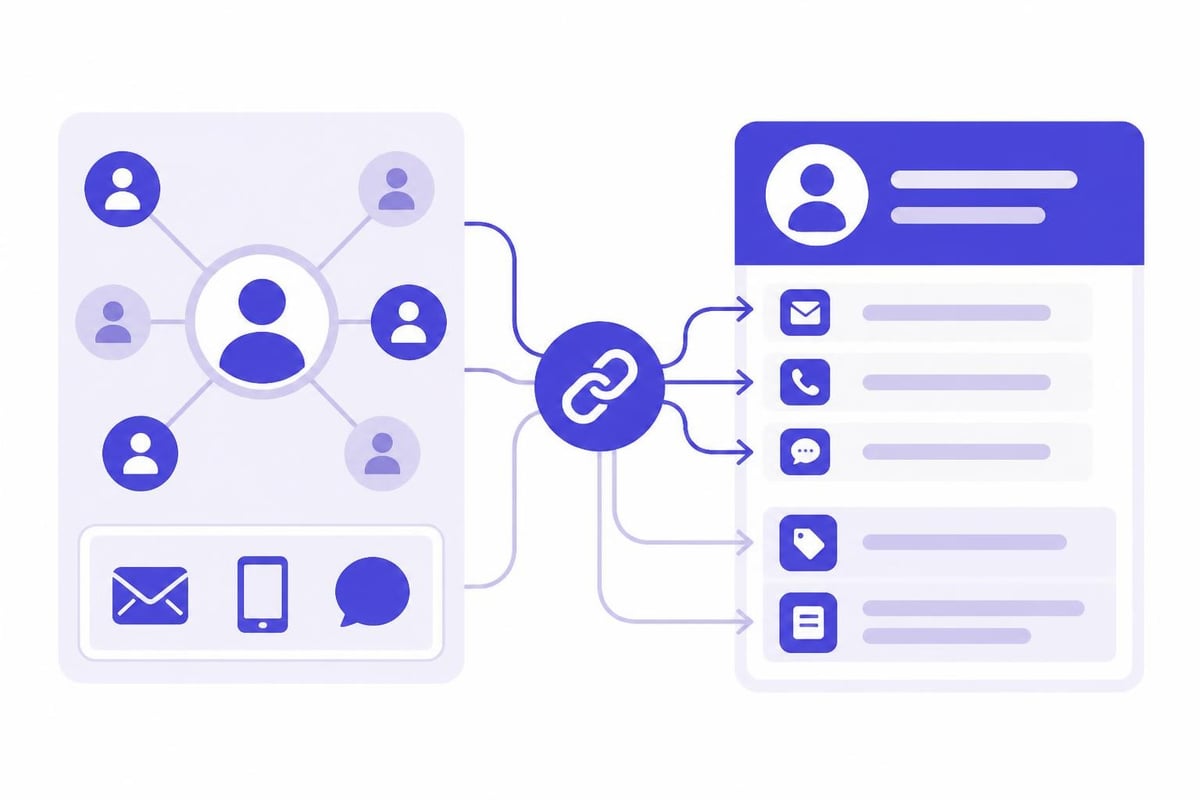
Modern platforms support bidirectional synchronization, meaning updates in your CRM also reflect back to your networking tool. If a contact changes companies or updates their title, that information stays consistent across all systems.
Key Features of Effective CRM-Synced Networking Tools
Not all digital networking solutions offer equal CRM integration capabilities. The most effective platforms in 2026 share several critical characteristics that separate basic contact sharing from true sales acceleration tools.
Comprehensive CRM Platform Support
| CRM Platform | Integration Type | Key Capabilities |
|---|---|---|
| Salesforce | Native API | Custom field mapping, lead assignment rules, campaign tracking |
| HubSpot | Bidirectional sync | Contact properties, deal associations, activity logging |
| Microsoft Dynamics | Enterprise integration | Account hierarchies, opportunity linking, custom entities |
| Pipedrive | Real-time sync | Deal creation, activity scheduling, custom fields |
Leading digital networking tools with CRM sync support dozens of platforms, from enterprise solutions like Microsoft Dynamics 365 CRM to specialized options for specific industries. This flexibility ensures teams can maintain their existing technology stack while adding networking capabilities.
Intelligent Field Mapping and Data Enrichment
Simply pushing contact names and email addresses into your CRM barely scratches the surface of what modern integration enables. Advanced systems map dozens of data fields including:
- Job titles and seniority levels for lead scoring
- Company information including size, industry, and revenue
- Social media profiles for relationship research
- Tags and notes from the networking interaction
- Custom fields specific to your sales process
Some platforms incorporate AI-powered data enrichment that automatically fills in missing information by cross-referencing public databases and company websites. This transforms a basic email address into a complete contact profile without additional research time.
Implementation Best Practices for CRM Synchronization
Deploying a digital networking tool with CRM sync requires thoughtful planning to maximize value and avoid common pitfalls. Organizations that rush implementation without proper configuration often create more problems than they solve.
Defining Data Flow Rules
Before activating synchronization, establish clear protocols for how information moves between systems. Key decisions include:
- Authoritative system designation: Determine which platform serves as the single source of truth for specific data fields
- Conflict resolution protocols: Define how the system handles contradictory information between platforms
- Update frequency: Balance real-time synchronization against API rate limits and system performance
- Sync boundaries: Specify which records sync bidirectionally versus one-way transfers
Following best practices for ERP and CRM connectivity helps prevent data inconsistencies that undermine trust in your CRM.
Preventing Duplicate Records
One of the most critical challenges in CRM synchronization involves duplicate prevention. When multiple team members attend the same conference and independently capture the same contact, your system needs intelligent deduplication logic.
Effective strategies include:
- Email-based matching: Use email addresses as unique identifiers before creating new records
- Fuzzy matching algorithms: Detect variations in name spelling or formatting
- Manual review queues: Flag potential duplicates for human verification
- Merge protocols: Establish rules for combining duplicate records while preserving important data
Teams should reference guidance on eliminating duplicate records when syncing CRM systems to maintain database cleanliness.
Team Training and Adoption
Technology alone does not guarantee successful implementation. Sales teams need clear training on:
- How to properly capture contact information using the digital networking tool
- Which data fields matter most for CRM sync accuracy
- Review processes for validating synchronized records
- Troubleshooting common sync issues
Organizations with high adoption rates typically designate CRM champions within each team who serve as first-line support and advocate for proper usage.
Measuring ROI from Integrated Networking and CRM
Investing in a digital networking tool with CRM sync should produce measurable improvements across multiple dimensions. Forward-thinking organizations establish baseline metrics before implementation and track progress quarterly.
Quantifiable Performance Indicators
| Metric | Typical Improvement | Measurement Method |
|---|---|---|
| Contact-to-CRM time | 85-95% reduction | Compare timestamp of contact capture to CRM record creation |
| Data accuracy rate | 60-80% improvement | Audit sample of records for errors in key fields |
| Follow-up speed | 70-85% faster | Measure time from networking event to first outreach |
| Lead conversion rate | 25-40% increase | Track percentage of networking contacts that become opportunities |
Teams should track these metrics through CRM reporting dashboards that segment networking-sourced leads separately from other channels. This visibility enables accurate attribution and justifies continued investment.
Qualitative Benefits
Beyond numbers, organizations report significant qualitative improvements when using a digital networking tool with CRM sync. Sales representatives consistently highlight reduced frustration with administrative tasks, increased confidence in data quality, and more time for relationship-building activities.
Marketing teams gain better visibility into which networking events generate quality leads versus vanity metrics like booth traffic. Executive leadership benefits from accurate pipeline forecasting based on real-time networking activity rather than delayed, manual updates.
Advanced Capabilities in Modern Networking-CRM Integration
The gap between basic digital business card apps and sophisticated digital networking tools with CRM sync continues to widen in 2026. Leading platforms now incorporate capabilities that were experimental just two years ago.
AI-Powered Lead Qualification
Modern systems analyze captured contact data against your ideal customer profile and automatically assign lead scores. This intelligence considers factors like:
- Company size and revenue relative to your target market
- Job title alignment with typical buying committee members
- Industry match with your solution's strengths
- Engagement signals from the networking interaction
Qualified leads receive immediate routing to appropriate sales representatives, while lower-priority contacts enter nurture campaigns. For professionals who frequently attend trade shows and conferences, specialized lead capture for events and trade fairs solutions enable rapid scanning of business cards and badges with AI-powered data completion, syncing directly with CRM systems to make event ROI immediately visible.
Workflow Automation Triggers
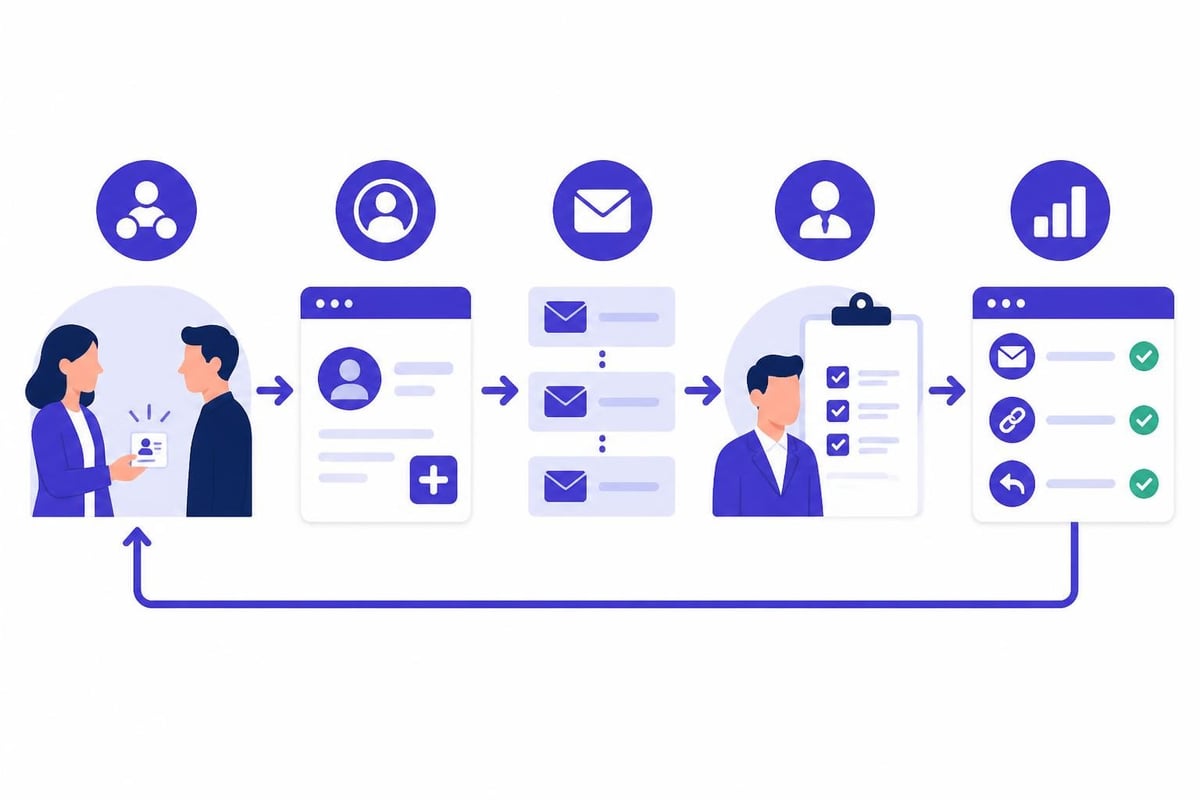
Integration between networking tools and CRMs unlocks powerful automation sequences. When a new contact syncs to your CRM, triggered workflows can:
- Send personalized follow-up emails referencing the specific event or conversation
- Schedule automatic reminders for sales representatives to make contact within specific timeframes
- Create tasks for sending relevant content based on expressed interests
- Update contact records with engagement tracking as interactions occur
- Notify account managers when existing customer contacts appear from competitor events
These automations ensure consistent, timely follow-up that manual processes cannot match at scale.
Team-Wide Visibility and Collaboration
Enterprise-grade digital networking tools with CRM sync provide centralized dashboards where sales managers monitor team networking activity. This visibility enables coaching opportunities around which team members excel at capturing quality contacts and which events deliver the strongest ROI.
Shared contact pools prevent territorial conflicts when multiple representatives meet the same prospect at different events. Complete interaction history ensures seamless handoffs between team members and consistent messaging throughout the customer journey.
Selecting the Right Platform for Your Organization
The market for digital networking solutions has matured significantly, offering options ranging from free CRM software integrated with basic contact sharing to comprehensive enterprise platforms. Choosing the right fit requires evaluating your specific requirements across several dimensions.
Essential Selection Criteria
Integration depth: Verify that candidate platforms offer native integration with your current CRM rather than relying on third-party middleware that introduces additional complexity and failure points. Review documentation for supported CRM versions and update frequency.
Scalability: Consider not just your current team size but planned growth over the next two to three years. Solutions that work well for ten users often struggle when organizations scale to hundreds of sales representatives.
Customization flexibility: Your sales process likely includes unique fields, workflows, and requirements. Platforms should accommodate custom branding, field mapping, and business logic without requiring extensive development resources.
Compliance and security: In 2026, data privacy regulations continue expanding globally. Ensure your chosen digital networking tool with CRM sync meets relevant compliance standards including GDPR, CCPA, and industry-specific requirements.
Evaluating Vendor Capabilities
Beyond feature checklists, assess vendor characteristics that predict long-term partnership success:
- Technical support responsiveness and availability across your operating time zones
- Product roadmap alignment with emerging CRM technologies and standards
- Customer references from similar organizations in your industry
- Migration assistance and onboarding resources
- API documentation quality for potential custom integrations
Request detailed demonstrations using your actual CRM instance rather than generic sandbox environments. This approach reveals integration nuances and potential configuration challenges before commitment.
Industry-Specific Applications
Different sectors leverage digital networking tools with CRM sync in unique ways that reflect their distinct sales processes and customer relationship patterns. Understanding these variations helps organizations identify relevant use cases.
Professional Services
Consulting firms, law practices, and accounting organizations prioritize relationship depth over transaction volume. Their ideal digital networking tool with CRM sync emphasizes:
- Detailed note capture about conversation topics and client needs
- Integration with project management systems to link contacts with active engagements
- Sophisticated tagging for expertise areas and service line interests
- Nurture campaign triggers for thought leadership content distribution
These organizations often integrate networking data with proposal generation systems, automatically populating client information and engagement history into pitch materials.
Technology and Software Sales
Complex B2B software sales cycles spanning months or years require extensive relationship mapping across buying committees. Technology companies need networking tools that:
- Connect individual contacts into account hierarchies showing organizational relationships
- Track technical evaluation stages and product interest signals
- Integrate with demo scheduling and trial provisioning systems
- Enable sales engineers to capture technical requirements during conversations
The step-by-step guide to sync CRM records across multiple business systems proves particularly valuable for technology companies managing complex data flows between networking tools, CRMs, and specialized sales enablement platforms.
Financial Services and Insurance
Regulatory requirements in financial services add compliance layers to networking and CRM integration. These organizations require:
- Audit trails documenting all contact interactions and data modifications
- Consent tracking for marketing communications and data usage
- Integration with compliance review workflows before automated outreach
- Secure handling of sensitive financial information
Despite added complexity, the efficiency gains from eliminating manual data entry make digital networking tools with CRM sync essential for competitive financial services firms.
Future Trends in Networking-CRM Integration
The evolution of digital networking tools with CRM sync shows no signs of slowing as artificial intelligence, augmented reality, and advanced analytics reshape how professionals build and maintain business relationships.
Predictive Relationship Intelligence
Emerging platforms analyze networking patterns to predict which contacts most likely convert to opportunities based on historical data. Machine learning models consider factors including:
- Similar contact characteristics of past successful deals
- Engagement velocity and response patterns
- Network effects from mutual connections
- Industry trends and company growth signals
These predictions enable sales teams to prioritize follow-up activities for maximum ROI rather than treating all networking contacts equally.
Voice and Video Integration
Natural language processing now enables voice note capture during networking conversations, automatically transcribing key points and syncing them to CRM records. Some platforms experiment with smart glasses that capture conversation highlights hands-free, though adoption remains limited pending user experience refinement.
Video introductions embedded in digital business cards create richer first impressions, with engagement metrics flowing back to CRMs to measure content effectiveness.
Blockchain-Based Identity Verification
Trust in contact authenticity becomes increasingly important as digital networking expands. Blockchain verification systems emerging in 2026 allow professionals to cryptographically prove their identity and credentials, with verification status syncing to CRM records to flag potential fraud risks.
These systems integrate with background check services and professional licensing databases, automatically updating CRM records when certifications renew or expire.
Getting Started with CRM-Synced Networking
Organizations ready to implement a digital networking tool with CRM sync can accelerate time-to-value by following a structured rollout approach rather than attempting enterprise-wide deployment immediately.
Pilot Program Structure
Successful implementations typically begin with a small pilot group of 10-20 sales representatives who exhibit strong CRM discipline and enthusiasm for new technologies. This approach enables:
- Testing integration stability with production CRM data in a controlled environment
- Gathering user feedback to refine configuration before wider rollout
- Developing training materials based on real-world usage patterns
- Building internal case studies demonstrating ROI to skeptical stakeholders
Pilot programs running 60-90 days provide sufficient data for meaningful evaluation while maintaining urgency and focus.
Configuration Priorities
Rather than attempting to map every possible data field during initial setup, prioritize the minimum viable configuration that delivers immediate value. Focus on:
- Core contact fields (name, email, phone, company)
- Lead source tracking to attribute networking interactions
- Basic tagging or categorization for segmentation
- One or two key custom fields specific to your sales process
Additional refinements can layer in as users become comfortable with baseline functionality and identify specific enhancement needs.
Teams looking to modernize their networking approach can explore digital business cards for teams that offer centrally managed, on-brand solutions with automated HR and CRM synchronization.
Training and Change Management
Technology adoption succeeds or fails based on user buy-in. Effective training programs include:
- Live demonstrations showing real scenarios from your sales process
- Hands-on practice sessions with test contacts and sandbox CRM instances
- Quick reference guides for common tasks and troubleshooting
- Regular office hours where users can ask questions and share tips
- Recognition programs celebrating early adopters and heavy users
Change management extends beyond initial training to ongoing reinforcement through sales meetings, performance reviews, and leadership modeling of expected behaviors.
Implementing a digital networking tool with CRM sync transforms contact capture from administrative burden into strategic sales advantage. The combination of automated data flow, real-time synchronization, and intelligent lead qualification enables sales teams to focus on relationship building rather than data entry. Spreadly delivers this seamless integration with customizable digital business cards that sync directly to leading CRM platforms including Salesforce, HubSpot, Pipedrive, and Microsoft Dynamics, ensuring every networking interaction becomes a properly tracked opportunity in your sales pipeline.