Digital Business Cards Apple Wallet: Setup Guide 2026
11 minutes
22nd of July 2026
In this article:
- Why Digital Business Cards Apple Wallet Integration Matters
- Creating Digital Business Cards for Apple Wallet
- Sharing Methods for Apple Wallet Cards
- Advanced Features and Customization Options
- Team Implementation and Enterprise Management
- Mobile Experience and Cross-Platform Compatibility
- Analytics and Performance Tracking
- Security and Privacy Considerations
- Best Practices for Maximum Impact
- Measuring Success and ROI
- Future Developments in Digital Credential Technology
The way professionals exchange contact information has transformed dramatically over the past few years. Digital business cards apple wallet integration represents one of the most seamless methods for sharing your professional details in 2026. Rather than fumbling through physical cards or typing contact information manually, iPhone users can now tap their devices to instantly share comprehensive professional profiles. This technology combines the convenience of mobile payments with the networking power of modern digital cards, creating an always-accessible solution that lives right alongside your credit cards and boarding passes.
Why Digital Business Cards Apple Wallet Integration Matters
Apple Wallet has become the central hub for digital credentials on iOS devices. From boarding passes to event tickets, users trust this native app to store critical information securely. Adding digital business cards apple wallet functionality extends this trust to professional networking.
The strategic advantages are clear:
- Zero friction sharing: No app downloads required for recipients
- Instant accessibility: Cards are always available, even offline
- Professional consistency: Your branding stays intact across all devices
- Real-time updates: Change your details once, and all distributed cards reflect the update
iPhone users check their Wallet app multiple times daily for payments and passes. This frequent usage means your business card stays top-of-mind, positioned exactly where recipients expect to find important credentials. The integration also aligns with Apple's focus on digital identity, as evidenced by their recent expansion into digital passport storage and verification.
The Technical Foundation
Apple Wallet uses the .pkpass file format, which creates secure, digitally signed packages containing your card data. These packages include visual elements, metadata, and actionable information like phone numbers and email addresses. When someone adds your digital business card to their Apple Wallet, they receive a self-contained credential that works independently of internet connectivity.
Creating Digital Business Cards for Apple Wallet
The process of generating digital business cards apple wallet compatible files has become remarkably straightforward in 2026. Multiple platforms now offer automated pass generation, eliminating the technical complexity that once required developer knowledge.
Essential Components
Every effective Apple Wallet business card includes specific elements:
| Component | Purpose | Best Practice |
|---|---|---|
| Logo image | Brand recognition | 300x300px minimum, transparent background |
| Strip/background | Visual hierarchy | Complementary brand colors |
| Primary fields | Quick identification | Name, title, company |
| Secondary fields | Contact methods | Phone, email, website |
| Back fields | Additional details | Address, social profiles, bio |
| Barcode/QR | Pass distribution | URL to full digital card |
The visual design should maintain your brand identity while respecting Apple's interface guidelines. Contrast and readability matter significantly since users will view these cards in various lighting conditions.
Step-by-Step Setup Process
- Select your platform: Choose a digital business card provider that supports Apple Wallet generation
- Input your information: Add all contact details, social profiles, and professional information
- Customize the design: Upload your logo, select brand colors, and arrange field priority
- Generate the pass file: The platform creates your .pkpass file automatically
- Test the integration: Add to your own iPhone first to verify appearance and functionality
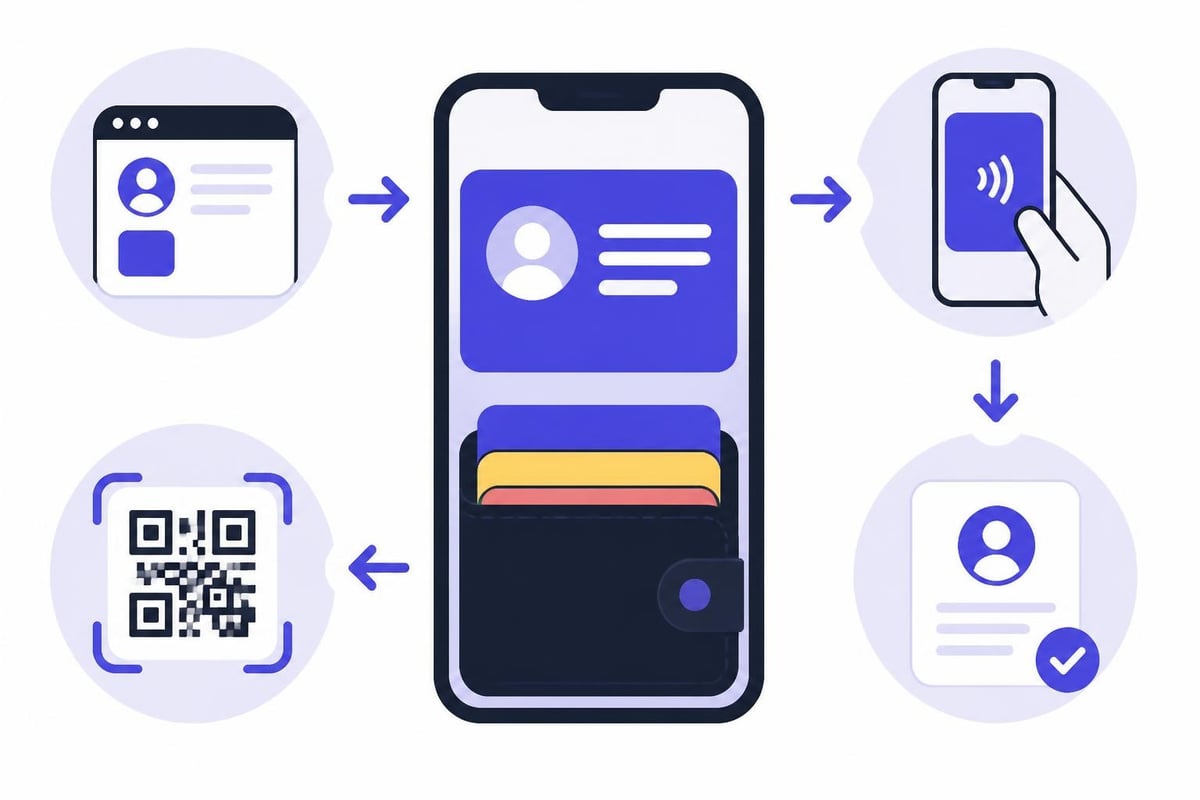
- Create distribution methods: Set up QR codes, share links, and NFC tap options
Many professionals appreciate that creating a digital business card takes less than two minutes once you have your information organized. The technical heavy lifting happens behind the scenes.
Sharing Methods for Apple Wallet Cards
Digital business cards apple wallet functionality shines brightest in how many ways you can distribute your credentials. The versatility ensures you can network effectively regardless of the situation or your recipient's device preferences.
QR Code Distribution
QR codes remain the universal standard for digital business card sharing. When someone scans your QR code with an iPhone camera, they receive an option to add your card directly to Apple Wallet or view it in Safari. This dual functionality accommodates both iOS and Android users.
Position QR codes strategically in these locations:
- Email signatures for every outbound message
- LinkedIn profile featured section
- Virtual meeting backgrounds during video calls
- Conference presentation slides
- Printed materials as a bridge to digital
- Trade show booth displays
NFC Tap-to-Share Technology
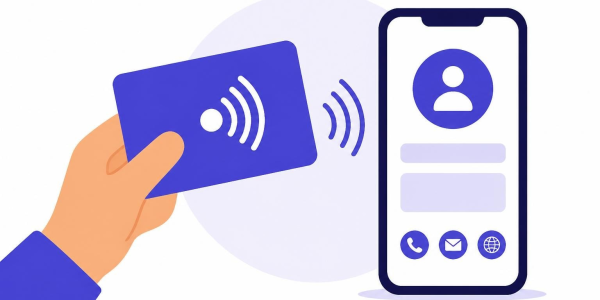
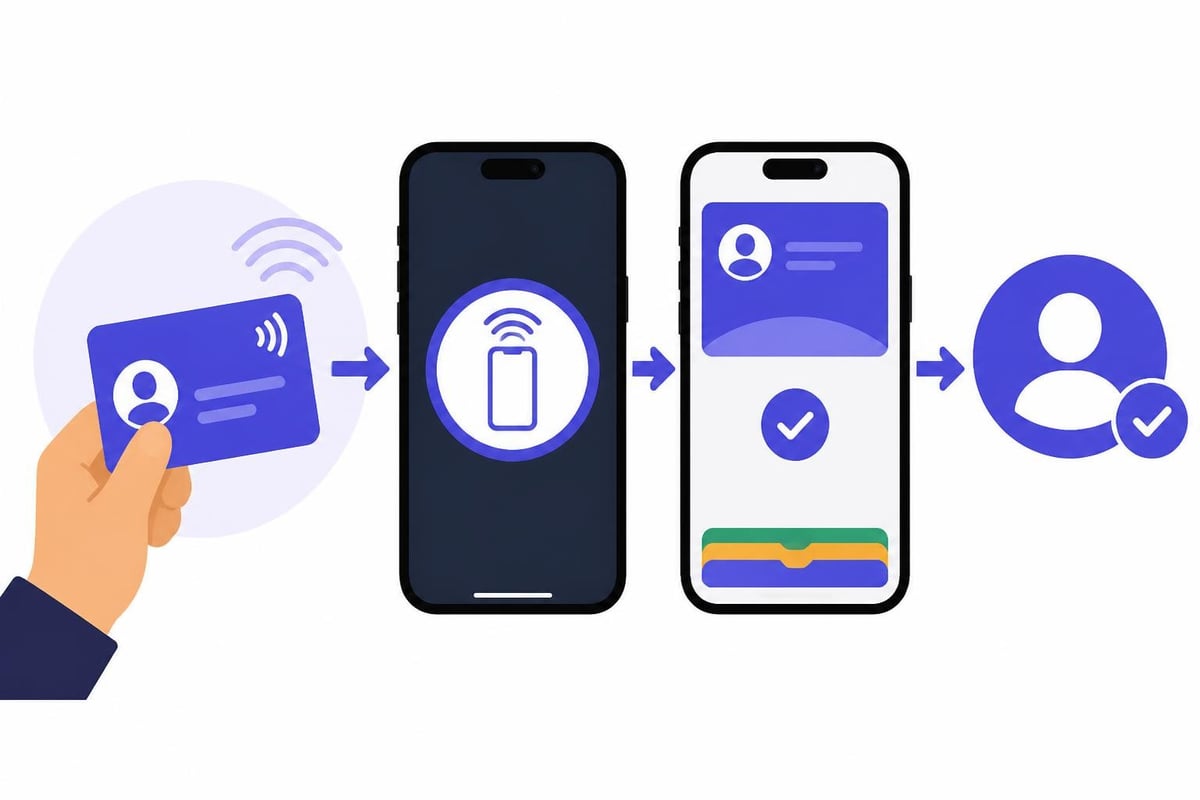
Near Field Communication represents the premium experience for digital business cards apple wallet sharing. When you embed your wallet pass in an NFC card, tag, or sticker, recipients can tap their iPhone to instantly receive your information. This contactless exchange takes approximately one second and feels remarkably futuristic.
The tactile nature of NFC maintains the traditional business card ritual while delivering digital convenience. You still hand something physical to your contact, preserving the interpersonal moment while avoiding the limitations of paper cards.
Direct Link Sharing
Sometimes the simplest method works best. A direct URL to add your card to Apple Wallet can be shared through:
- Text messages and iMessage conversations
- WhatsApp and other messaging platforms
- Social media direct messages
- Email communications
- Slack and team collaboration tools
The link typically follows a format like yourname.cardprovider.com/wallet, making it easy to verbalize if needed during phone conversations.
Advanced Features and Customization Options
Modern digital business cards apple wallet implementations go far beyond static contact information. The most effective cards leverage interactive elements and rich media to create memorable networking experiences.
Rich Media Integration
Today's wallet passes can include:
- Video introductions: 30-second clips explaining your value proposition
- Portfolio galleries: Visual showcases of your work or products
- Document attachments: PDFs of presentations, case studies, or catalogs
- Calendar scheduling: Direct integration with Calendly or similar tools
- Location data: Office addresses with one-tap mapping
These elements transform a simple contact exchange into a comprehensive professional introduction. Rather than following up with "I'll send you more information," you provide immediate access to everything a prospect needs.
Lead Capture Capabilities
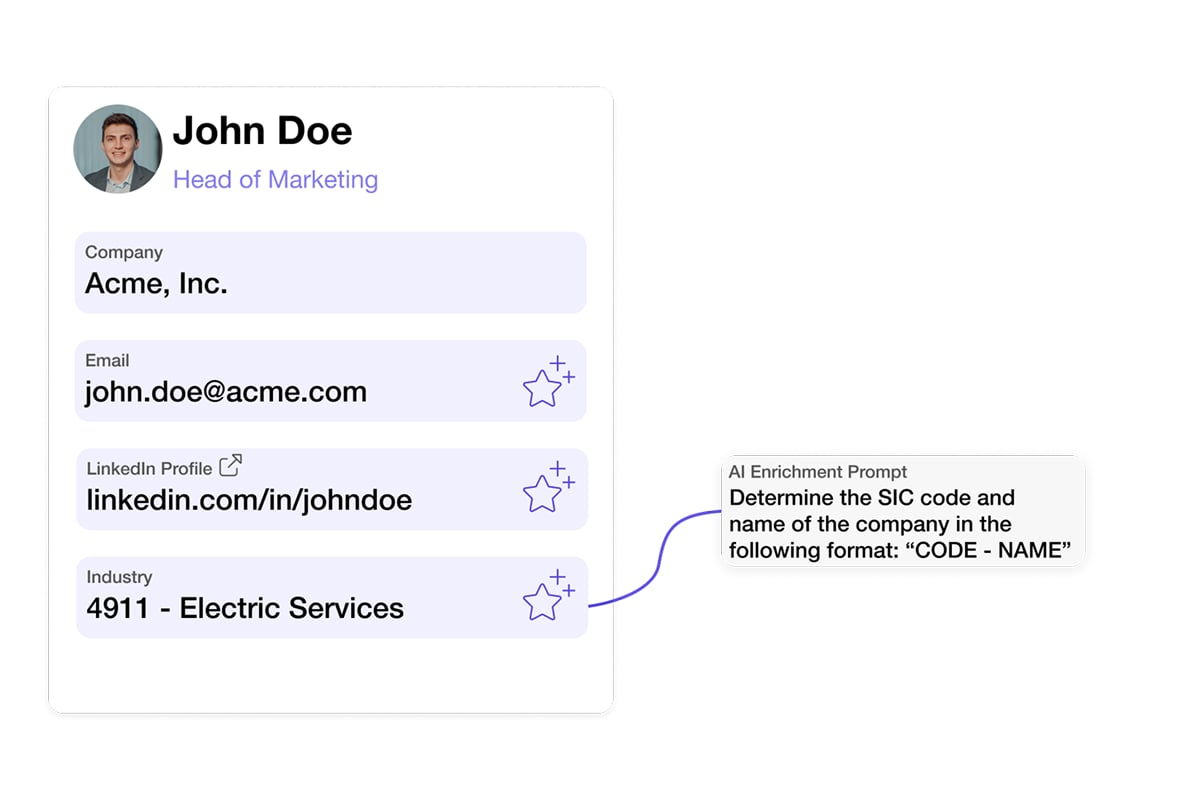
Professional networkers increasingly value bidirectional information exchange. Instead of only sharing your details, modern digital business cards can collect recipient information through built-in forms. This capability proves particularly valuable at events and trade shows where you meet dozens of potential clients in a short timeframe.
For sales teams attending industry conferences, the ability to scan incoming business cards while simultaneously sharing your digital credentials creates an efficient networking workflow. Captured leads sync automatically to your CRM, eliminating manual data entry and reducing follow-up time from days to minutes.
Team Implementation and Enterprise Management
Organizations adopting digital business cards apple wallet solutions for entire teams require centralized management capabilities. Individual implementations work well for freelancers and solopreneurs, but companies need consistency, control, and automation.
Brand Consistency Across Teams
Enterprise-grade platforms enable administrators to:
- Set mandatory brand elements (logos, colors, fonts)
- Define approved field structures
- Control which information employees can customize
- Preview cards before employee distribution
- Update company-wide elements instantaneously
This governance ensures every team member represents the organization professionally while maintaining individual personality. When your company rebrands or updates contact information, changes propagate to all distributed cards automatically.
HR System Integration
The most sophisticated implementations connect directly with human resources platforms. When HR adds a new employee to systems like Microsoft Entra ID, BambooHR, or Personio, their digital business card for teams generates automatically with correct title, department, and contact information.
| Integration Type | Benefit | Use Case |
|---|---|---|
| Single sign-on | Simplified access | Employees use existing credentials |
| Directory sync | Automatic updates | Role changes reflect immediately |
| Offboarding automation | Security compliance | Cards deactivate when employees leave |
| Bulk provisioning | Rapid deployment | Onboard entire departments simultaneously |
This automation eliminates the administrative burden of manual card creation and ensures data accuracy across your organization.
Mobile Experience and Cross-Platform Compatibility
While digital business cards apple wallet integration provides optimal experience for iPhone users, professional networking requires reaching contacts regardless of their device preferences. Comprehensive solutions work seamlessly across iOS, Android, and desktop environments.
The iPhone Advantage
Apple Wallet cards benefit from deep iOS integration. Recipients can:
- Add cards with a single tap from Safari
- Access cards offline without internet connectivity
- Update cards automatically when you push changes
- Initiate calls, emails, or texts directly from card fields
- Store unlimited cards without consuming device storage
The native experience feels polished and professional, reinforcing your brand's commitment to quality.
Android and Desktop Alternatives
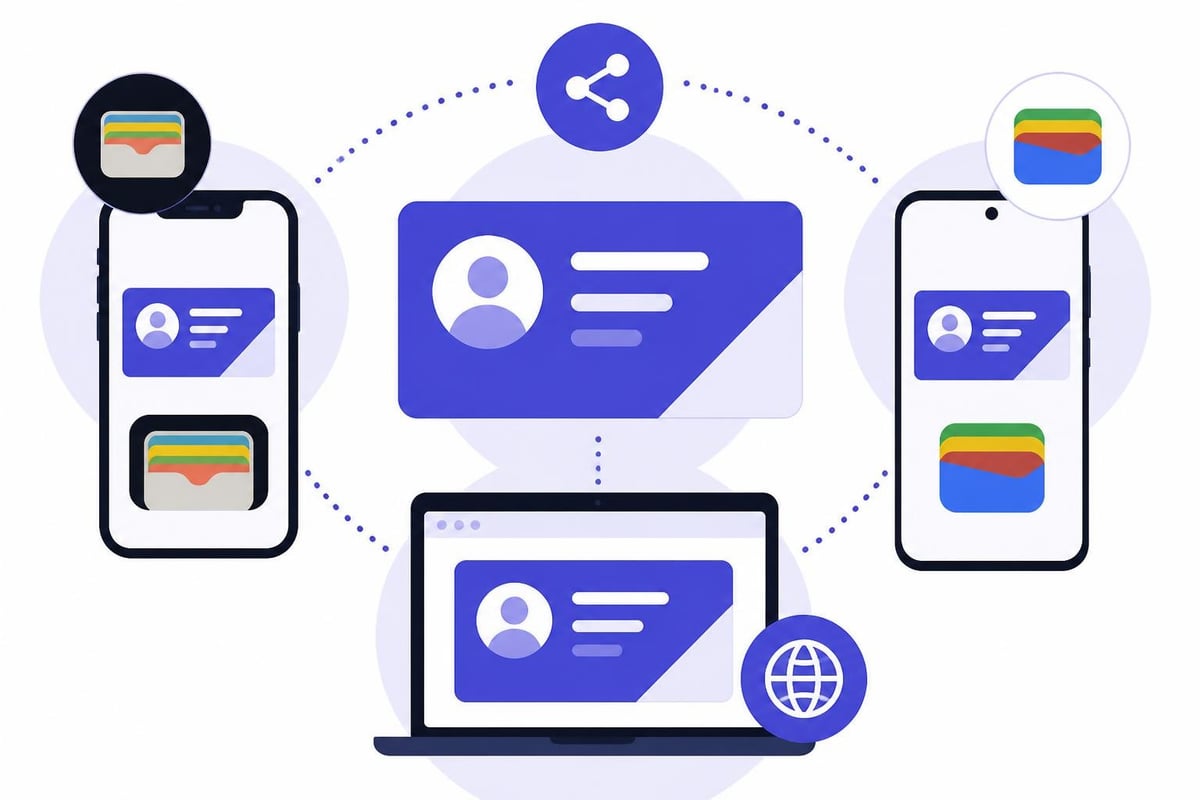
Since Apple Wallet remains exclusive to iOS, robust digital business card platforms offer parallel experiences. Android users receive Google Wallet integration, while desktop contacts can bookmark a responsive web version of your card. This multi-platform approach ensures you never lose networking opportunities due to technical incompatibility.
Visual tutorials, such as this step-by-step guide to creating Apple Wallet business cards, help both creators and recipients understand the full potential of digital credentials across various devices.
Analytics and Performance Tracking
One significant advantage of digital business cards apple wallet solutions over traditional paper cards is measurable engagement. Modern platforms provide detailed analytics showing exactly how your networking efforts perform.
Key Metrics to Monitor
Track these indicators to optimize your networking effectiveness:
- Total views: How many people accessed your card
- Add-to-wallet rate: Percentage who saved versus just viewed
- Contact actions: Which phone, email, or website links get clicked
- Geographic distribution: Where your connections are located
- Time-based patterns: When people engage with your card
- Referral sources: Which QR codes or links drive the most traffic
These insights reveal which networking strategies work best. If your conference booth QR code generates significantly more engagement than your email signature, you know where to focus future efforts.
CRM Integration and Sales Intelligence
For sales professionals, connecting digital business cards with customer relationship management systems creates powerful automation. When someone saves your Apple Wallet card and clicks your website link, that engagement data flows into Salesforce, HubSpot, or Pipedrive automatically.
This integration enables:
- Automatic contact creation with source attribution
- Lead scoring based on engagement level
- Trigger-based follow-up sequences
- Pipeline visibility for networking events
- ROI calculation for conferences and trade shows
The days of manually entering business card information into spreadsheets are definitively over. Modern workflows capture, enrich, and route leads without human intervention.
Security and Privacy Considerations
As digital credentials become more prevalent, security and privacy concerns naturally arise. Digital business cards apple wallet implementations must balance convenience with data protection, particularly for organizations subject to regulatory compliance.
Data Protection Standards
Reputable platforms implement multiple security layers:
- Encryption in transit: HTTPS/TLS for all data transmission
- Access controls: Authentication requirements for card editing
- GDPR compliance: Proper consent mechanisms and data handling
- Geographic data residency: European hosting for EU customers
- Audit trails: Logging of all card access and modifications
Organizations in regulated industries should verify that their chosen platform meets specific compliance requirements. GDPR-compliant solutions made in Germany, for example, provide additional assurance for European businesses.
Recipient Privacy
Unlike traditional business cards that anyone can photograph and distribute without your knowledge, digital cards offer more control. You can:
- Track who accessed your information and when
- Revoke access if needed by updating your card
- Limit which fields appear in different contexts
- Control whether recipients can download your full vCard
- Monitor for unusual access patterns
This visibility helps protect both your information and your recipients' privacy.
Best Practices for Maximum Impact
Implementing digital business cards apple wallet effectively requires more than just technical setup. Strategic deployment and consistent usage patterns determine whether this tool becomes a networking advantage or another forgotten app.
Design Excellence
Your card represents your professional brand. Invest appropriate effort in visual design:
- Use high-resolution logos and images
- Maintain sufficient contrast for readability
- Limit color palette to 2-3 brand colors
- Keep text concise and scannable
- Test appearance in both light and dark modes
- Preview on actual devices before finalizing
Remember that Apple Wallet displays cards in a compact format. Prioritize the most important information in primary fields where it remains visible without opening the full pass.
Information Architecture
Structure your content strategically:
- Primary fields: Name and current role
- Secondary fields: Direct contact methods
- Auxiliary fields: Company and location
- Back fields: Extended bio, social links, portfolio
This hierarchy ensures recipients see your most critical information first, with progressive disclosure of additional details as they explore further.
Distribution Strategy
Maximize reach through consistent sharing across multiple channels:
- Add your QR code to every email signature
- Include your wallet link in social media bios
- Display QR codes prominently during video calls
- Share your link in networking group introductions
- Place QR stickers on physical materials
- Program NFC cards for in-person events
The most successful networkers make their digital business cards accessible through every possible touchpoint.
Measuring Success and ROI
For individuals and organizations investing in digital business cards apple wallet solutions, quantifying return on investment validates the technology choice and identifies optimization opportunities.
Individual Success Metrics
Freelancers and independent professionals should track:
- Month-over-month growth in card saves
- Conversion rate from view to saved card
- Response rate to follow-up messages
- Meeting bookings through integrated calendars
- Website traffic from card link clicks
Compare these metrics to your previous networking approaches. If digital cards generate 3x more follow-up conversations than paper cards did, the investment clearly pays dividends.
Enterprise Success Indicators
Organizations should measure broader impact:
| Metric | Target | Measurement Method |
|---|---|---|
| Adoption rate | 90%+ employees using | Platform analytics |
| Cost savings | Printing budget reduction | Finance comparison |
| Lead capture | Event ROI improvement | CRM pipeline data |
| Time savings | Hours per week recovered | Employee surveys |
| Brand consistency | Compliance rate | Card audit reviews |
The most compelling ROI often comes from time savings. If your sales team previously spent 30 minutes daily entering business card data and now that process is automated, you have recovered 2.5 hours per week per salesperson. Multiply across a 50-person team, and you have saved 6,500 hours annually.
Future Developments in Digital Credential Technology
The convergence of digital identity, mobile payments, and professional networking continues to accelerate. Digital business cards apple wallet integration represents just the beginning of a broader transformation in how we manage and share credentials.
Emerging Capabilities
Watch for these developments in 2026 and beyond:
- Blockchain verification: Cryptographic proof of professional credentials
- AI-powered personalization: Cards that adapt content based on recipient context
- Augmented reality previews: 3D product demonstrations within card interfaces
- Voice assistant integration: "Hey Siri, share my business card"
- Wearable device support: Apple Watch complications for instant sharing
These innovations will further reduce friction in professional networking while enhancing the richness of information exchange.
The Decline of Physical Cards
Industry analysts project that physical business card printing will decline by 40% between 2024 and 2028 as digital alternatives achieve critical mass. This shift mirrors earlier transitions from physical to digital in photography, music, and document storage.
However, the complete elimination of paper cards remains unlikely. Some networking contexts and cultural preferences will sustain demand for traditional cards, likely as premium, specialty items rather than everyday tools.
Digital business cards integrated with Apple Wallet represent the modern standard for professional networking, combining convenience, security, and measurable results. The technology eliminates the limitations of paper cards while providing rich media capabilities and real-time updates that keep your information current. Whether you are an individual professional or managing networking tools for an entire organization, Spreadly delivers customizable digital business cards that share instantly through QR codes, NFC tap, and Apple Wallet integration, with powerful features like lead capture forms, CRM syncing, and team management built in from day one.