Business Card Makers: 8 Free Tools to Design Yours
8 minutes
11th of November 2026
In this article:
- 1. Canva Business Card Maker
- 2. Adobe Express Business Card Maker
- 3. VistaPrint Business Cards
- 4. FedEx Office Business Cards
- 5. UPrinting Standard Business Cards
- 6. Plavidian Custom Standard Business Cards
- 7. Adobe Express Virtual Business Card Maker
- 8. Spreadly Free Digital Business Card
- Comparison of the Business Card Maker Options
- How Do I Make a Business Card Myself?
- Which Free Business Card Maker Is Best?
- FAQ
A business card maker is an online editor that lets you place your name, role, logo and contact details on a template, then download the file or order prints. The eight tools below cover both routes: free design editors with print options, and a free digital card that shares your details by link or QR code. For sales and event teams that attend trade shows, the right choice depends less on layout and more on how fast a contact becomes a followed-up lead.
1. Canva Business Card Maker
Canva's business card maker is a free, drag-and-drop editor with hundreds of professionally designed templates. You can upload a logo, apply brand colors and fonts, add icons or illustrations, and save the result to a Canva account. Printing can be ordered from within the editor, with free standard shipping noted on the platform. Because designs live in your account, a teammate can reopen a saved card later and change a title or phone number without rebuilding the layout.
- Key specs: drag-and-drop editing, hundreds of templates, brand colors and fonts, saved designs
- Price: free to design; print costs vary by order
- Suits: a marketing or sales team that wants an approachable editor to produce a branded card before a trade show, with no design skills required
Verdict: The easiest starting point for template-based design, with printing built in.
2. Adobe Express Business Card Maker
Adobe Express offers a free plan with thousands of templates and full control over fonts, colors and layouts. Finished cards download as high-resolution PDF, JPG or PNG files, which makes them suitable for sending to a print shop. Printed cards can also be ordered in supported regions. The wide template selection gives you room to test several looks, and a PDF export can be uploaded directly to a printer that asks for a finished file.
- Key specs: thousands of templates on the free plan, PDF/JPG/PNG export, custom fonts and layouts
- Price: free plan available
- Suits: teams that need print-ready files to hand to a trade show printer or an in-house print partner
Verdict: A strong pick when file quality and flexibility matter more than a built-in print flow.
3. VistaPrint Business Cards
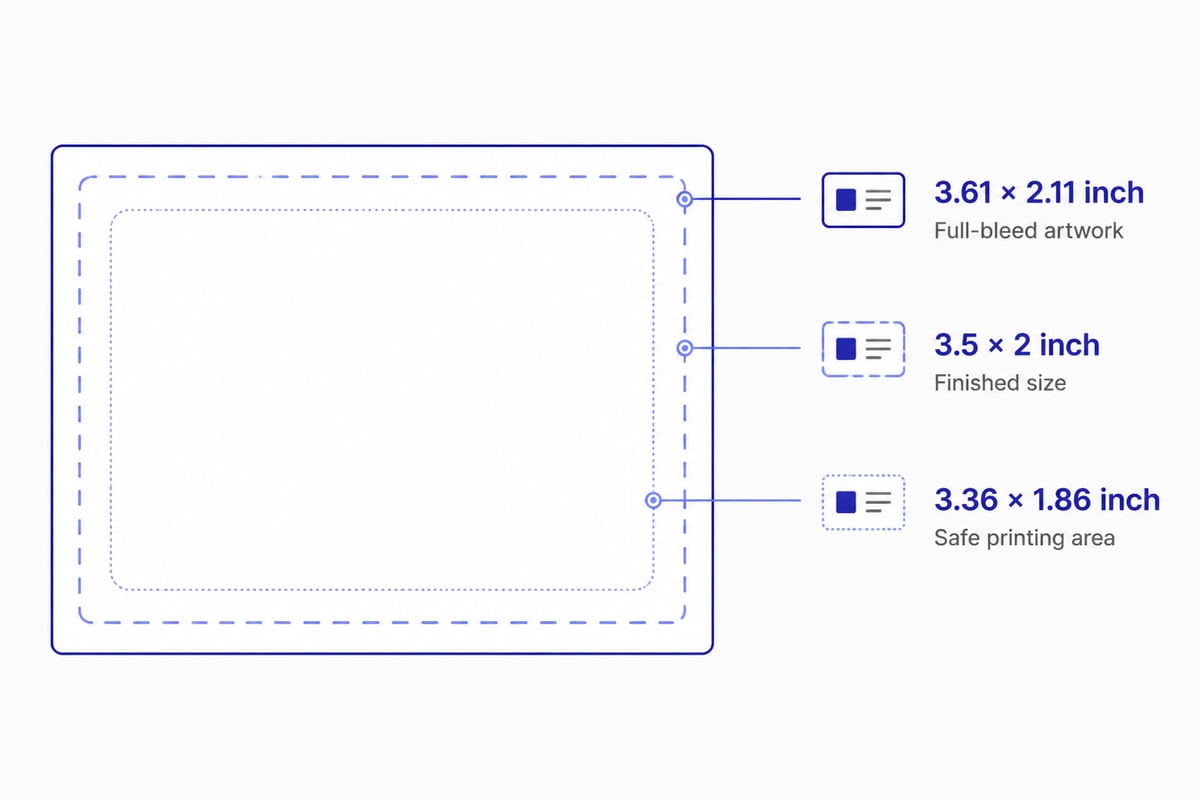
VistaPrint lets you design from templates or upload a finished PDF, then order printed cards. Its published specifications are among the clearest available. The standard finished size is 3.5 × 2 inches, and the full-bleed artwork size is 3.61 × 2.11 inches. The safe printing area is 3.36 × 1.86 inches, according to VistaPrint's business card design rules. Keeping logos and phone numbers inside that safe area prevents trimming from clipping them, while background color should extend to the full-bleed edge.
- Key specs: 3.5 × 2 in finished size; 3.61 × 2.11 in full-bleed; 3.36 × 1.86 in safe area
- Suits: a team with finished artwork that needs exact print dimensions before a booth deadline
- Price: varies by quantity and finish
Verdict: Best when you already have a design and want precise print requirements.
4. FedEx Office Business Cards
FedEx Office sells printed cards with online design options or file upload. Standard 3.5 × 2-inch cards are listed at $19.99 for 100, and specialty sizes and shapes are also offered. The service recommends files at 300 dpi or higher, and a 3.75 × 2.25-inch file to include bleed. If you design in another editor first, export at that bleed size and resolution so logos and photos print sharply rather than soft at the edges.
- Key specs: 3.5 × 2 in standard; 300 dpi or higher; 3.75 × 2.25 in file with bleed
- Price: approximately $19.99 for 100 as of November 2026
- Suits: a small, low-cost print run when you want templates or file upload from one provider
Verdict: A low entry price for a small batch of standard cards.
5. UPrinting Standard Business Cards
UPrinting focuses on standard-size printed cards with a wide choice of quantity and paper. Cards come in the standard 3.5 × 2-inch size on 14pt stock, with glossy, matte or uncoated options. Quantities run from 50 to 10,000 and up. The site displays a cost of $33.08, or $0.13 per card, with a stated turnaround of one to three business days. That range suits a team that needs a small test batch of 50 as well as one that is stocking an entire sales department.
- Key specs: 3.5 × 2 in; 14pt paper; glossy, matte or uncoated; 50 to 10,000+ cards
- Price: approximately $33.08 displayed as of November 2026
- Suits: comparing turnaround and per-card cost for larger runs ahead of an event calendar
Verdict: A practical choice for comparing price and speed on standard cards.
6. Plavidian Custom Standard Business Cards
Plavidian lets you choose the stock weight, printed sides and finish. Cards are 3.5 × 2 inches, with 14 pt or 16 pt cover stock, front-only or two-sided printing, and AQ, UV gloss or uncoated finishes. One example configuration is priced at approximately $48.58 for 250, before tax and shipping, as of November 2026. Choosing two-sided printing leaves room for a second language or a QR code on the back, while an uncoated finish gives a surface that is easy to write on.
- Key specs: 3.5 × 2 in; 14 pt or 16 pt stock; one or two sides; AQ, UV gloss or uncoated
- Price: approximately $48.58 for 250 (example configuration)
- Suits: a team that wants a heavier stock or a specific finish for a premium booth impression
Verdict: Useful when the physical feel of the card is part of the brief.
7. Adobe Express Virtual Business Card Maker
This tool creates a digital card file you can share online rather than hand out on paper. It offers free customizable templates or a blank start, with downloads as PDF, JPG or PNG. The free plan includes 2 GB of storage, and print ordering is available in supported regions. Adobe also explains the process on its virtual business card page. Several saved versions fit comfortably in that storage, so you can keep a separate card for each role or event.
- Key specs: free templates, PDF/JPG/PNG download, 2 GB free storage
- Price: free plan available
- Suits: sharing a static card image by email or messaging, though the file does not update itself
Verdict: Fine for a shareable image, but a static file needs manual updates and does not capture leads.
8. Spreadly Free Digital Business Card
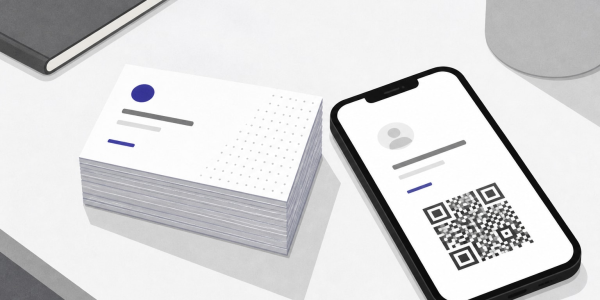
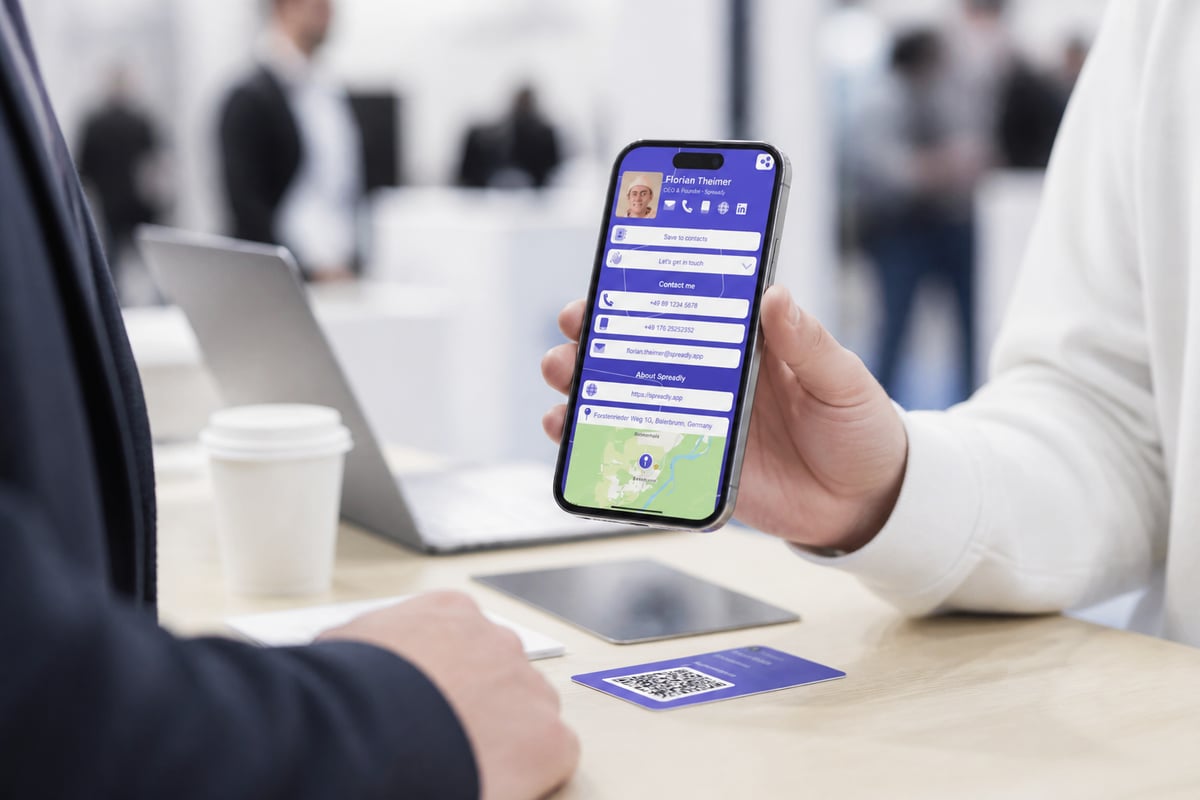
Spreadly's Free Digital Business Card is a maker for contact details that people save instead of retyping. Your card is shared by QR code, a personal link, or Apple Wallet and Google Wallet, and it updates in real time. Setup is quick, and the design is customizable. Because the card lives behind one link, a changed job title or new phone number reaches everyone who already saved it, with no reprint and no resend.
- Key specs: QR code, link, Apple Wallet and Google Wallet sharing; real-time updates; customizable design
- Price: free to start, with no payment required to begin
- Suits: a sales or event team that needs one card whose details stay current after a job or number change, without reprinting
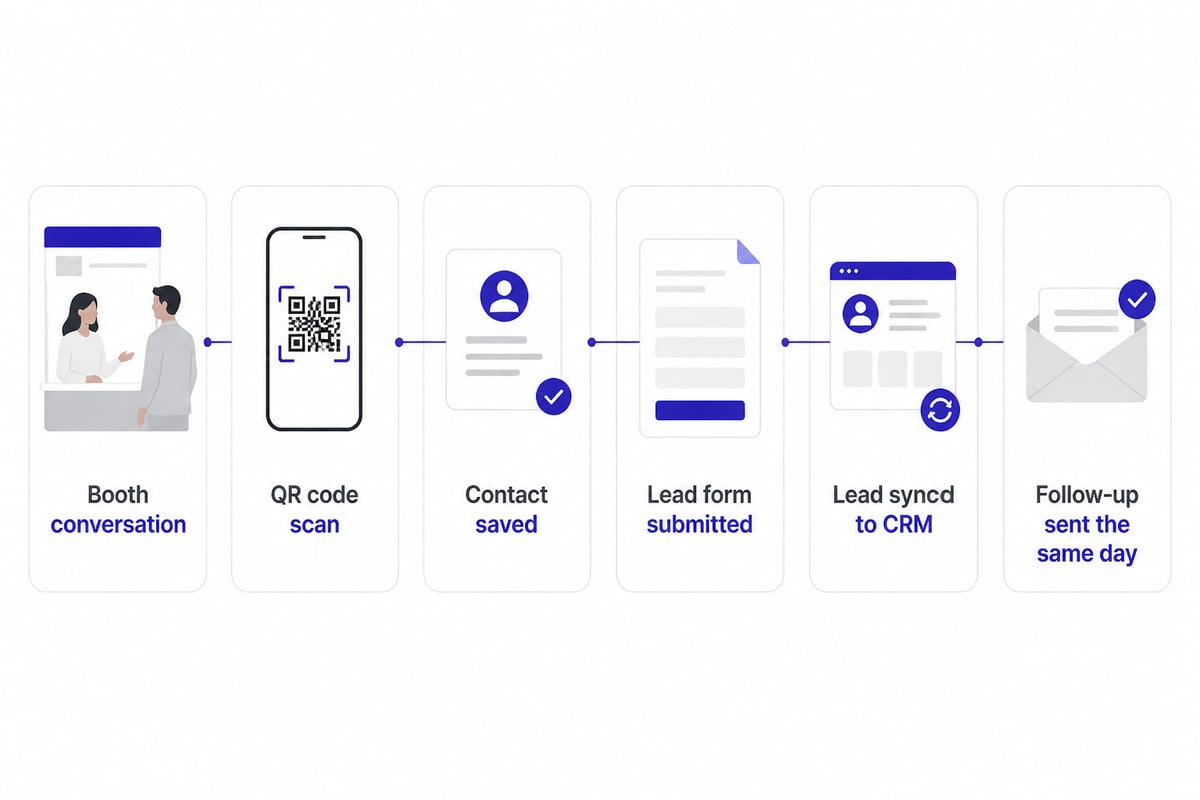
For trade show work, the difference shows up after the event. Contact details stay current through one link and QR code, and contacts can be saved quickly, so prospects do not have to type your details. Lead capture sends every lead with full context straight to your CRM, which shortens the gap between a booth conversation and the first follow-up. Spreadly is trusted by 250,000+ professionals worldwide and rated 4.8/5 from 1,100+ reviews.
Verdict: The best fit here for event teams who care about follow-up speed rather than a printed object. It is not meant for someone who only needs a single paper card printed once.
Comparison of the Business Card Maker Options
| Tool | Type | Free to design | Print option | Standard size or format | Best for |
|---|---|---|---|---|---|
| Canva | Online editor | Yes | Yes | Template-based | Easy branded designs |
| Adobe Express | Online editor | Yes | Supported regions | PDF, JPG, PNG | Print-ready files |
| VistaPrint | Design and print | Templates or upload | Yes | 3.5 × 2 in | Exact print specs |
| FedEx Office | Design and print | Templates or upload | Yes | 3.5 × 2 in | Small, low-cost runs |
| UPrinting | Print ordering | Upload | Yes | 3.5 × 2 in, 14pt | Price and turnaround |
| Plavidian | Print ordering | Upload | Yes | 3.5 × 2 in, 14 or 16 pt | Stock and finish choice |
| Adobe Express Virtual | Digital file | Yes | Supported regions | PDF, JPG, PNG | Shareable image |
| Spreadly | Digital card | Yes | Not applicable | QR, link, Wallet | Live details and lead capture |
How Do I Make a Business Card Myself?
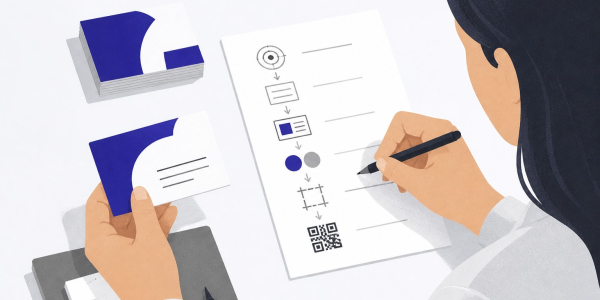
To make a business card yourself, choose a template, enter your details, check the size, and export or order. The steps are the same in every tool above.
- Pick a template that suits your brand and leaves room for a logo.
- Enter your name, role, company, phone, email and one web or social link.
- Set body text to at least 8 pt and keep prominent details at 10 to 12 pt or larger, as VistaPrint recommends.
- Confirm the 3.5 × 2-inch finished size, with bleed and safety margins set 0.125 inch from the relevant edges, per VistaPrint's design guide.
- Export a high-resolution PDF or order prints, or switch to a digital card for instant sharing.
A size reference is available in this business card dimensions guide.
Which Free Business Card Maker Is Best?
The best free option depends on whether you need paper, a file, or a live digital card. Canva suits easy template design, and Adobe Express suits downloadable files. For a team that attends events and needs leads in a CRM quickly, a digital card is the stronger fit.
A paper card cannot be corrected after printing, which is why teams often pair a short print run with a digital card. Spreadly's guide to hidden costs with paper business cards covers that trade-off. If you plan to scan the cards you collect, see the list of the best business card scanner apps in 2026. Teams planning a booth can also read the guide to digital business cards for trade fairs, and anyone sending cards to many colleagues may want to automatically create business cards at scale.
FAQ
How much does it cost for 100 business cards to be made?
Pricing varies by provider and finish. FedEx Office lists standard cards at $19.99 for 100, and UPrinting displays $33.08, or $0.13 per card. Heavier stock and special finishes raise the cost.
Can ChatGPT make business cards?
ChatGPT can draft your card text, suggest layouts and write a tagline, but it is not a print-ready design tool. You would still move the content into an editor such as Canva or Adobe Express to set size, bleed and export. Check any generated contact details before printing.
What information should be on a business card?
Include your name, role, company, phone number, email address and one web or social link. Add a QR code if you want people to save your details without typing. Keep the layout uncluttered so the details stay legible at small sizes.
Before your next event, pick one tool from this list and build a card with your current role and a working email address. If your team needs details that stay current and leads that reach your CRM without retyping, start with Spreadly's Free Digital Business Card and Try Spreadly free to see how quickly a booth contact becomes a follow-up.