Business Card Generator with Logo: 6 Tools to Try
8 minutes
10th of November 2026
In this article:
- How to Choose a Business Card Generator with Logo
- 1. Canva Business Card Maker
- 2. VistaPrint Business Cards
- 3. MOO Business Cards
- 4. Design.com Business Card Maker
- 5. Spreadly Free Digital Business Card
- 6. Spreadly Lead Capture for Events & Trade Fairs
- Comparison of Business Card Generators with Logo Support
- Logo Preparation Tips for Any Generator
- When a Printed Card Is Not Enough
A business card generator with logo support lets you upload your brand mark, drop it into a template, and export a finished card for print or digital sharing, usually in under ten minutes. The right choice depends on whether you need a stack of printed cards or a card that stays current and captures leads. This list covers six tools, from print-focused designers to digital options built for teams that work trade shows.
How to Choose a Business Card Generator with Logo
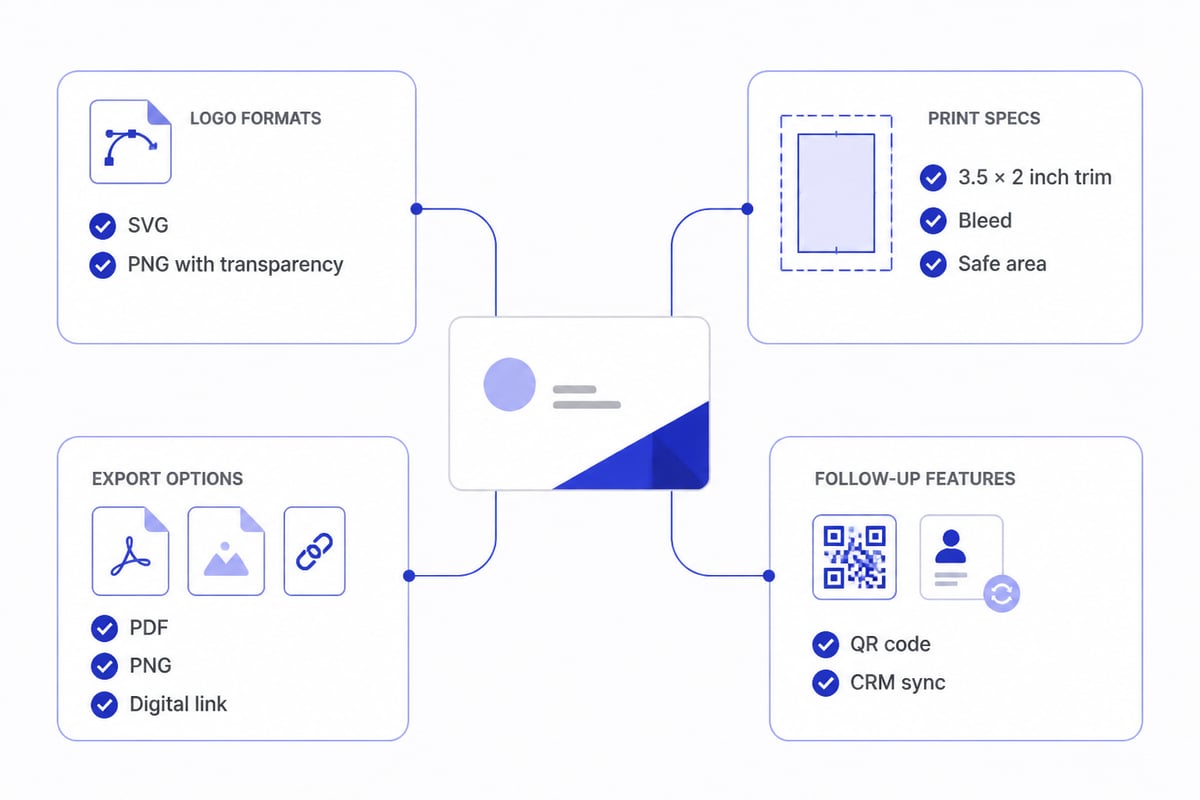
Pick a generator by checking four things: logo upload quality, export formats, print specifications, and what happens after someone receives your card.
Logo handling matters most. Look for support for vector files such as SVG, a transparent background option, and freedom to adjust position and size. A logo with a white box around it will show as a visible rectangle on a colored card, so test a transparent PNG before you commit to a template. For print, confirm the tool respects bleed and safe areas. VistaPrint's business card size guide lists the standard U.S. trim size as 3.5 × 2 inches and recommends keeping key content inside a 3.36 × 1.86-inch safe area. MOO publishes comparable guidance, with a 3.50 × 2.00-inch trim. A background color or image should extend past the trim line to the full-bleed edge, or a thin white sliver can appear after cutting.
Resolution and color are the other technical checks. VistaPrint recommends CMYK colors and raster images at 300 DPI for clear printed results. At 300 DPI, a standard card needs a raster file of 1050 × 600 pixels at minimum, or 1083 × 633 pixels once bleed is included. A logo exported at screen resolution will look soft on paper, so start with the highest-quality file you have.
Fine detail deserves its own check. MOO recommends text of at least 8 pt and lines at least 0.5 pt thick, so a logo with a thin tagline or hairline border may need a simplified version for the card. Finally, decide what happens after the handoff. If recipients have to retype your details, a digital card with a Save-to-Contacts action or a QR code will serve you better than print alone.
1. Canva Business Card Maker
Canva's business card maker is a template-driven design tool where you upload a logo, edit text and colors, and export the result or order prints.
- Templates: 10,000+ business card templates
- Exports: JPG, PNG, SVG, EPS, and PDF
- Print orders: 250 to 5,000 cards
- Layout: Single- or double-sided designs
- Price: Free version available; premium access is approximately $6/month billed annually or $9/month, as of November 2026
Best for: Teams that need to adjust a template quickly and export in several file formats, including vector output for a print shop.
Verdict: A flexible starting point for design, with the widest export range on this list.
2. VistaPrint Business Cards
VistaPrint combines a template editor with an ordering system, so you can add a logo, preview the card, and buy printed copies in one session.
- Price: Approximately $10 for 50 standard cards, per VistaPrint's business card page, which also confirms you can add custom text, logos, and images to templates
- Standard sizes: 3.5 × 2 inches landscape; 2 × 3.5 inches portrait
- Options: Rounded-corner cards, shown at approximately £17.00 for 50 cards
- Templates: Thousands of customizable designs
Best for: Small print runs where you want design and ordering handled in one place, without a separate print vendor.
Verdict: Convenient and low-cost for a first batch of standard cards.
3. MOO Business Cards
MOO is a print-focused generator with a distinctive range of formats and published design rules that help you set up a logo correctly.
- Price: Approximately $23 for 50 standard cards, $26 for 50 square cards, and $22 for 100 mini cards, as of November 2026
- Standard trim: 3.50 × 2.00 inches
- Design guidance: Text of at least 8 pt and lines at least 0.5 pt thick
- Formats: Standard, square, and mini
Best for: Companies that want an unusual card shape and print-ready guidance before they commit to a run.
Verdict: Higher per-card pricing, balanced by format variety and clear technical rules.
4. Design.com Business Card Maker
Design.com offers a template-based workflow where you customize text, logos, colors, and layouts, then download the finished file.
- Workflow: Start from a template or build a card from scratch
- Customization: Text, logos, colors, and layouts
- Output: Downloadable design files
Best for: Anyone who wants a straightforward template-and-download process and plans to send the file to a printer of their choice.
Verdict: A simple option when the design file is the only deliverable you need.
5. Spreadly Free Digital Business Card
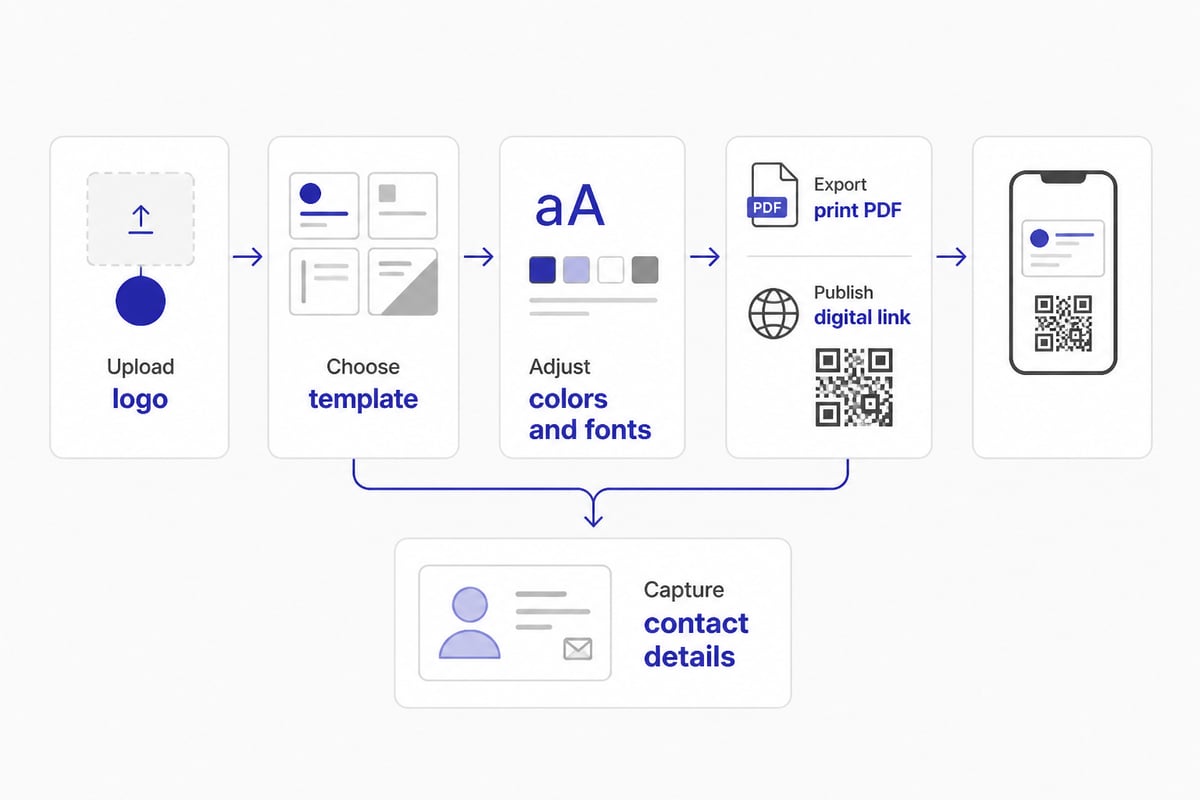
Spreadly's free digital card is a generator where you upload your logo, set brand colors and layout, and share the result by link, QR code, Apple Wallet, or Google Wallet.
Contact details stay current through one link and QR code, so a change of job title or phone number needs no reprint. Recipients can save your contact details without typing them in. Spreadly is trusted by 250,000+ professionals worldwide and holds a 4.8/5 rating based on 1,100+ reviews.
- Sharing: Link, QR code, Apple Wallet, Google Wallet
- Setup: Quick to set up, with setup in under 2 minutes according to Spreadly
- Branding: Custom logo, colors, and layout
- Price: Free to start; check the Spreadly digital business card page for current plan details
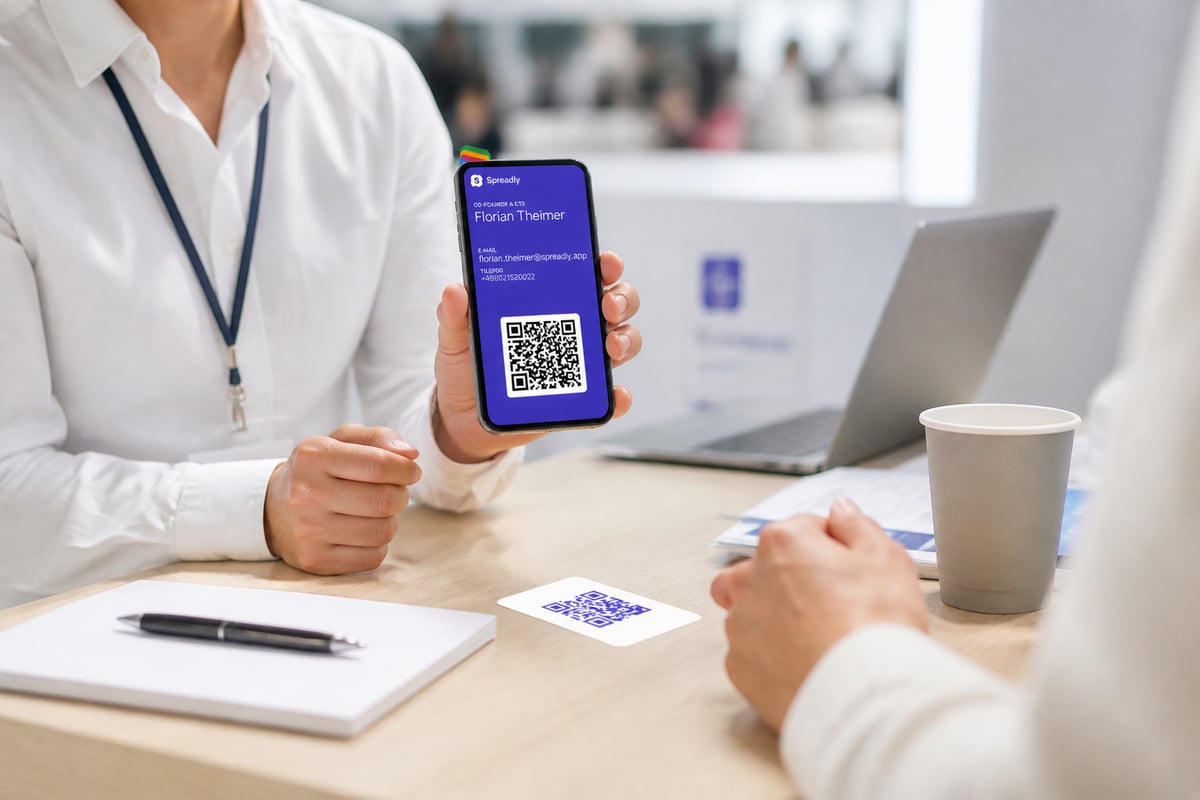
Best for: Sales and business development staff who give out their details at events and want one card that never goes out of date.
Verdict: The strongest fit here for teams that value a card that updates itself over a card that sits in a drawer. It is not the right tool if you only need a single paper card printed once.
6. Spreadly Lead Capture for Events & Trade Fairs
This tool is the reverse side of the card exchange: instead of handing out your logo-branded card, you collect contacts from others at the booth.
You can scan business cards, trade show badges, or QR codes (such as those from LinkedIn) in seconds. AI fills in missing information, and each lead syncs to your CRM in real time with full context. You define your own fields and link them to your CRM, which reduces typos and follow-up work. The business card scanner reaches 99.9% accuracy across 50+ languages.
- Inputs: Business cards, badges, QR codes
- Processing: AI completes missing data
- Sync: Real-time CRM sync with custom fields
- Details: See the Lead Capture for Events & Trade Fairs page
Best for: Event teams that return from a European trade fair with hundreds of contacts and need them in the CRM within hours.
Verdict: A logical pairing with a digital card when follow-up speed decides trade show results. For more on how scanning connects to your CRM, see this guide to business card scanning with CRM integration.
Comparison of Business Card Generators with Logo Support
| Tool | Type | Key spec | Approximate price (as of November 2026) |
|---|---|---|---|
| Canva Business Card Maker | Design and print | 10,000+ templates; JPG, PNG, SVG, EPS, PDF export | Free; premium from about $6/month billed annually |
| VistaPrint Business Cards | Design and print | 3.5 × 2 inch standard size | About $10 for 50 cards |
| MOO Business Cards | Design and print | Standard, square, and mini formats | About $23 for 50 standard cards |
| Design.com Business Card Maker | Design and download | Build from scratch or from template | Not listed |
| Spreadly Free Digital Business Card | Digital card | Link, QR code, Apple and Google Wallet | Free to start |
| Spreadly Lead Capture | Lead capture | Scans cards, badges, QR codes; CRM sync | See product page |
The four design tools sort into two groups. Canva and Design.com are strongest at the creative stage, since both let you build a card from a template or from scratch and adjust text, colors, and layout around your logo. Canva adds a wider set of export formats, which matters if your print shop asks for a vector file. VistaPrint and MOO sit closer to the print counter. VistaPrint is the cheaper entry point at about $10 for 50 standard cards, while MOO charges about $23 for the same quantity but offers square cards at about $26 for 50 and mini cards at about $22 for 100.
Price per card tells only part of the story. A 50-card order is a reasonable test batch, but Canva's print orders start at 250 cards, so the comparison changes once you know how many cards you will actually hand out.
The two Spreadly tools solve a different problem. The digital card replaces the printed run with a link and QR code, and Lead Capture handles the contacts you collect in return. A common pairing is a printed card from one of the first three tools plus a digital card for events, so the logo appears consistently on both.
Logo Preparation Tips for Any Generator
Prepare your logo files before you open any tool, because a weak source file limits every result.
- Keep a vector master. An SVG or EPS scales cleanly to any card size. Export a PNG with a transparent background for tools that do not accept vectors.
- Respect the safe area. Keep the logo inside the safe zone so trimming never clips it. Check the safe area guidance in your generator or printer's template before placing the logo.
- Check small-size legibility. If your logo includes fine text, test it at card size. MOO's 8 pt text minimum is a useful benchmark.
- Add a QR code. A QR code linking to a live card page turns a static logo card into a trackable one. For ideas on layout, read about business card templates.
If you want to compare more tools beyond this list, Inksem's roundup of business card makers covers free options and pricing for Canva, VistaPrint, and Design.com.
When a Printed Card Is Not Enough
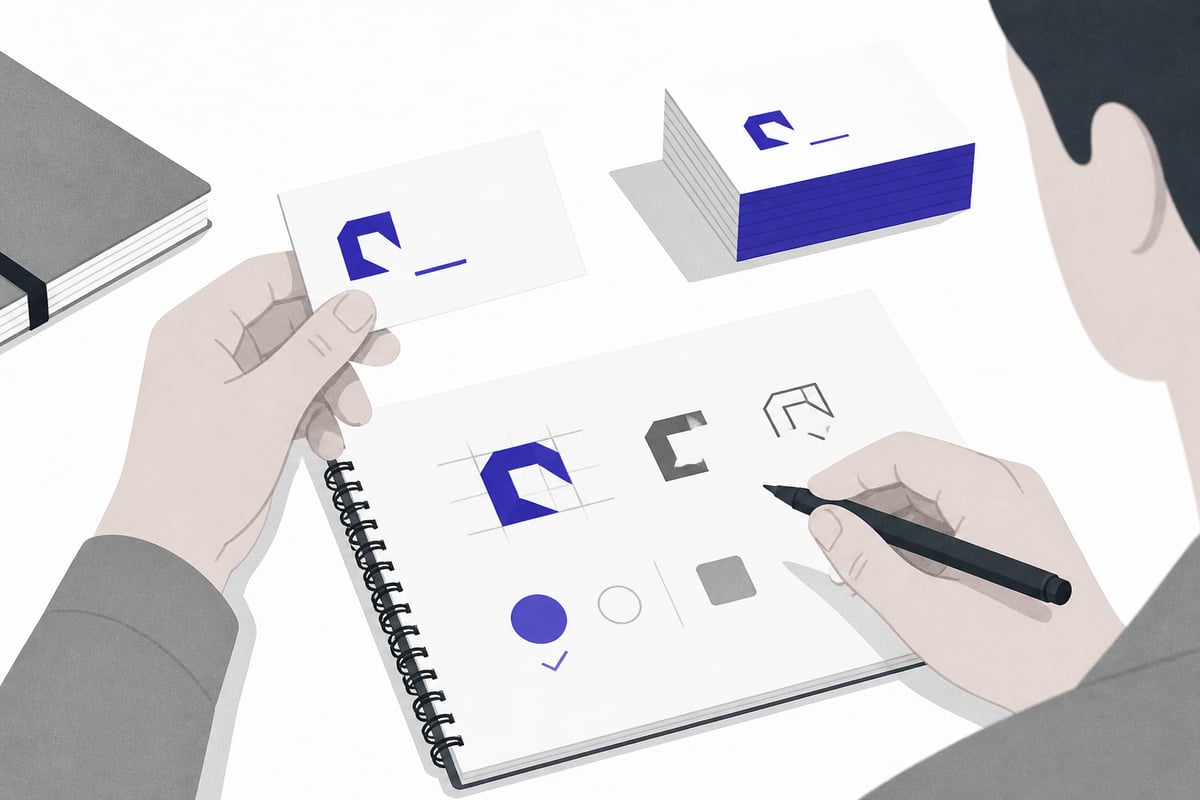
A printed card carries your logo but fixes your details at the moment of printing. Every job change or number change means a new run, and those costs add up, as outlined in this look at the hidden costs of paper business cards.
For event teams, the larger gap appears after the handshake. A paper card has to be typed or scanned before it reaches a CRM, and delays at that step cost follow-up speed. A digital card shared by QR code removes the manual entry for the recipient, and lead capture removes it for you. If you attend several trade fairs a year, the complete guide to digital business cards for trade fairs describes how teams combine both.
For teams with many employees, central management matters as well. Email signatures can be managed centrally and kept consistent across the whole company, so the logo and contact block look identical for everyone.
Start by exporting your logo as an SVG and a transparent PNG, then test it in one design tool and one digital card so you can compare how each looks in practice. If your team attends trade shows and needs cards that stay current plus leads that reach your CRM quickly, the Free Digital Business Card is a practical place to begin, and you can Try Spreadly free to build a branded card with your logo in minutes through Spreadly.