Business Card Templates to Download and Customize
8 minutes
9th of November 2026
In this article:
- What to check before you pick a template
- 1. VistaPrint Business Card Templates
- 2. VistaPrint Standard Business Cards
- 3. VistaPrint Business Card Maker
- 4. VistaPrint Low Price Business Cards
- 5. Canva Business Card Templates
- 6. Canva Creative Business Card Templates
- 7. Canva Business Card Printing
- 8. Adobe Express Business Card Templates
- 9. Spreadly Free Digital Business Card
- Comparison of the template options
- How to customize a business card template properly
- Where a printed template falls short for trade show teams
- Keeping branding consistent across a company
- Choosing between a printed and a digital template
A business card template is a pre-designed layout with placeholders for your name, title, logo and contact details, which you edit and then download or send to print. The right one depends on how you will use it: printed cards need correct dimensions and bleed, while digital cards need only a clean layout and a link. This guide compares eight template sources, explains the file specifications that prevent print problems, and shows where a template stops being enough for teams that attend trade shows.
What to check before you pick a template
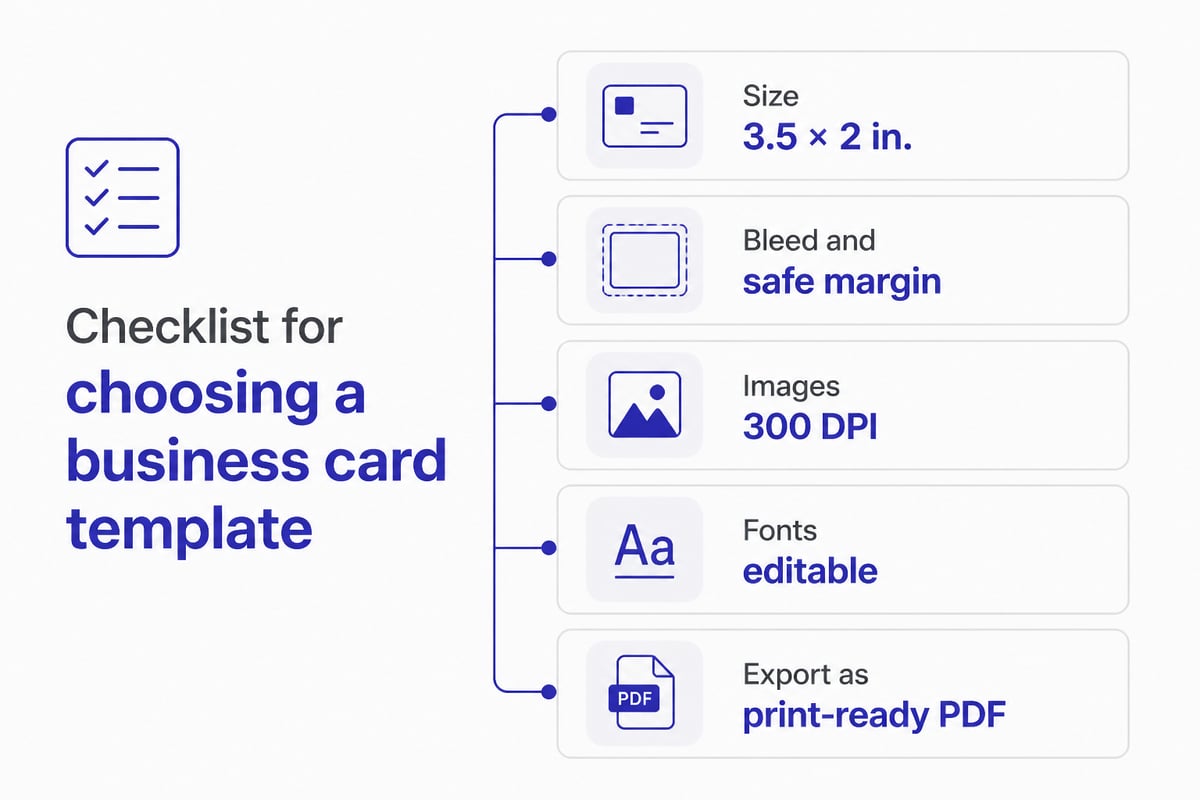
Choose a template by size, file format and print readiness before you consider style. A good layout in the wrong dimensions causes cropped text and rejected files.
The North American standard is 3.5 × 2 inches (88.9 × 50.8 mm), according to VistaPrint's business card cost guide. Square and portrait formats exist, but they may not fit standard card holders or wallets.
Check these points on any template:
- Dimensions: Standard landscape is 3.5 × 2 in.; portrait flips it to 2 × 3.5 in.
- Bleed and safe margins: Bleed is the extra background area trimmed off during cutting. Keep text well inside the safe margin.
- Resolution: VistaPrint recommends uploaded images at 300 DPI or higher and accepts PDF, PNG or high-resolution JPEG files.
- Editable fonts and colors: Your brand fonts and hex colors should be replaceable without breaking the layout.
- Export options: Print-ready PDF for printers, PNG or JPEG for screens and email.
Adobe Express publishes a useful overview of business card dimensions, bleed and layout choices if you want to understand the print mechanics before you edit anything.
1. VistaPrint Business Card Templates
VistaPrint's template catalog is a broad, print-oriented library with 3,734 standard business card templates listed. You can filter by shape, corners and orientation, then customize with your own images and logo. Pricing starts from about $20.
- Key specs: Filters for shape, corners and orientation; customizable images and logos
- Approximate price: From $20
- Suits: Print orders where you want to browse a large selection and filter by card shape before committing to a design
- Verdict: A strong starting point when the end goal is a printed card from a single supplier.
2. VistaPrint Standard Business Cards
VistaPrint's standard business cards are the entry-level printed option, listed at $10 for 50 cards. The standard stock is 14pt, and other stocks and finishes are available. Templates include safe margins and bleed areas.
- Key specs: 3.5 × 2 in.; 14pt standard stock; premium stocks available
- Approximate price: $10 for 50 cards
- Suits: Small, low-cost print runs where a conventional card shape is enough
- Verdict: The simplest route from template to a finished paper card at a low entry price.
For thicker stock, VistaPrint lists its Premium Plus cards at 18pt and its ultra-thick custom cards at 28pt.
3. VistaPrint Business Card Maker
The VistaPrint Business Card Maker is a template-based online design tool that lets you add text, colors, images and a company logo, then order from the same service. Pricing starts from about $20.
- Key specs: Standard 3.5 × 2 in. and square 2.5 × 2.5 in. options; text, color, image and logo editing
- Approximate price: From $20
- Suits: Editing and ordering in one workflow without exporting files to another service
- Verdict: Convenient when you want design and ordering in a single place.
4. VistaPrint Low Price Business Cards
This is VistaPrint's budget page, with 41 templates listed and prices from about $20. You still get customizable text, colors, images and logos in standard 3.5 × 2 in. or square 2.5 × 2.5 in. shapes.
- Key specs: 41 templates; standard and square shapes; full text and logo customization
- Approximate price: From $20
- Suits: Cost-conscious orders where a smaller template selection is acceptable
- Verdict: Fewer choices than the main catalog, but a clear path to a cheap customized card.
5. Canva Business Card Templates
Canva's main template library lists 18,325 templates, the largest on this list. Designs download as JPEG, PNG or print-ready PDF, and the standard landscape size is 3.5 × 2 in. Printing is listed at $14.00 for 50 standard landscape cards.
- Key specs: 18,325 templates; JPEG, PNG and print-ready PDF export; 3.5 × 2 in. landscape
- Approximate price: $14.00 for 50 standard landscape cards
- Suits: Teams that want many layouts to start from and several export formats for print or screen
- Verdict: The widest selection here, and flexible enough for both print and digital use. Canva also describes its printable template library and download formats on its template page.
6. Canva Creative Business Card Templates
Canva's creative collection narrows the field to 3,818 templates with more distinctive layouts. Templates can be customized and downloaded, and the print-ready PDF supports crop marks and bleed. Printed cards are listed at $15.50 for 50.
- Key specs: 3,818 templates; print-ready PDF with crop marks and bleed
- Approximate price: $15.50 for 50 printed cards
- Suits: Designers or marketers who want expressive layouts and plan to print through Canva or another printer
- Verdict: A better filter than the full library when you want something less conventional.
7. Canva Business Card Printing
Canva's printing service pairs the design tool with paper choices. Standard landscape and portrait formats are 3.5 × 2 in. and 2 × 3.5 in. Paper options include standard 240 to 325 gsm, premium 325 to 350 gsm and deluxe 650 gsm. Delivery options include free standard shipping, express delivery or in-store pickup. Pricing starts at $14.00 for 50 standard landscape cards.
- Key specs: Landscape and portrait formats; three paper weight tiers; free standard shipping, express and in-store pickup
- Approximate price: $14.00 for 50 standard landscape cards
- Suits: Orders where paper weight and finish matter and you want to design and print in one place
- Verdict: The most detailed paper choices on this list, useful when tactile quality is part of the brief.
8. Adobe Express Business Card Templates
Adobe Express offers 7,783 business card templates that are free to edit, with printed cards shown at $10.50 for 50. Formats cover portrait (2 × 3.5 in.), landscape (3.5 × 2 in.) and square (2 × 2 in.).
- Key specs: 7,783 templates; portrait, landscape and square formats
- Approximate price: Free to use; printed cards shown at $10.50 for 50
- Suits: Designing for free and printing elsewhere, with layout guidance built into the workflow
- Verdict: A solid free option when you already have a printer in mind.
9. Spreadly Free Digital Business Card
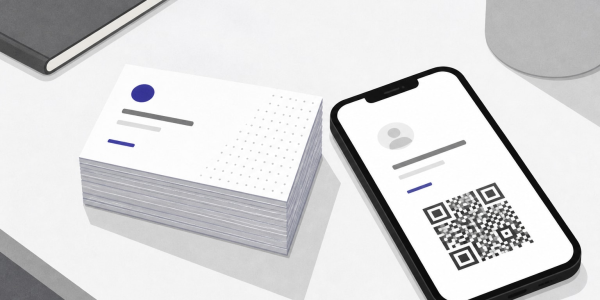
Spreadly's Free Digital Business Card replaces the printed template with a digital layout you share through a QR code, Apple Wallet, Google Wallet or a link. It is aimed at individuals and freelancers, and setup takes only a few minutes. The design is customizable and updates in real time.
- Key specs: Share by QR code, Apple Wallet, Google Wallet or link; real-time updates; customizable design
- Approximate price: Free to start
- Suits: Anyone who wants a template-style layout without print files, bleed settings or reprints when a title or phone number changes
- Verdict: The practical choice when the card will mostly be shared on screens rather than handed over on paper.
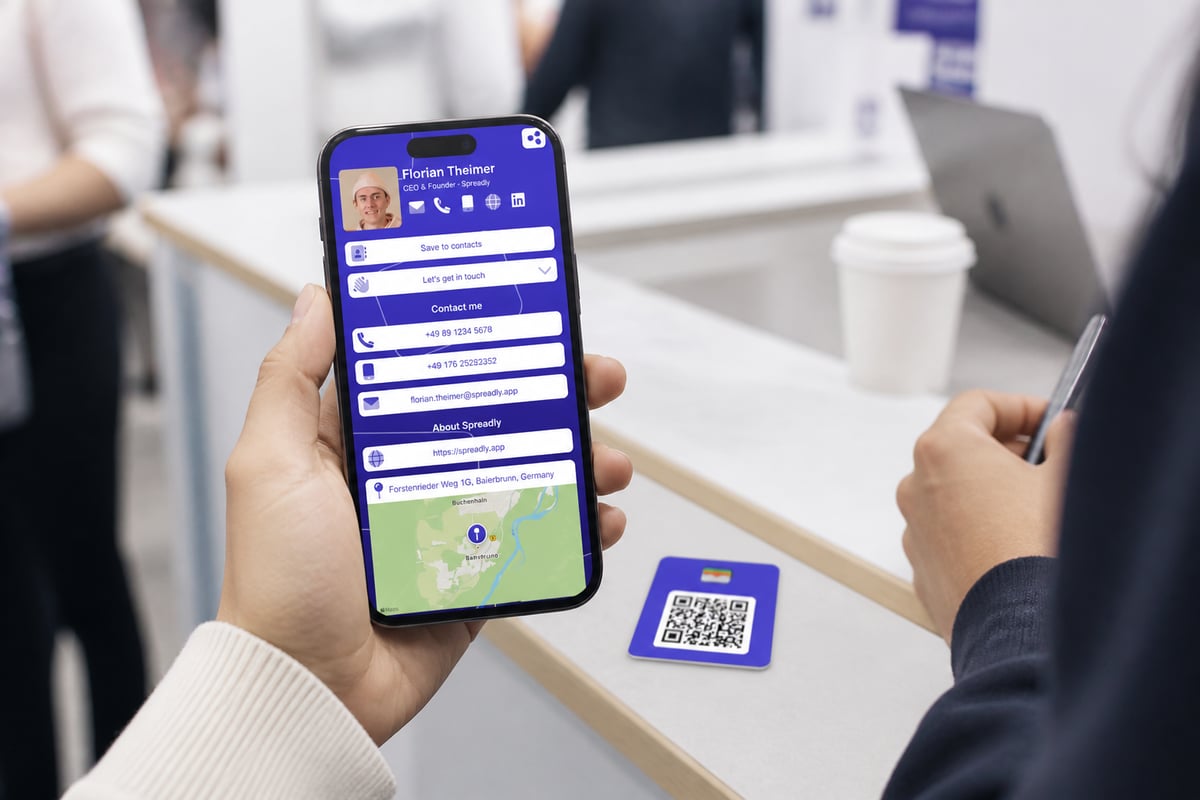
You can set up the Free Digital Business Card quickly, and the same link and QR code keep working after any change to your details.
Comparison of the template options
| Option | Template count | Formats | Approximate price (as of November 2026) |
|---|---|---|---|
| VistaPrint Business Card Templates | 3,734 | Standard, filterable by shape | From $20 |
| VistaPrint Standard Business Cards | Not a library | 3.5 × 2 in., 14pt stock | $10 for 50 |
| VistaPrint Business Card Maker | Template-based tool | Standard, square 2.5 × 2.5 in. | From $20 |
| VistaPrint Low Price Business Cards | 41 | Standard, square | From $20 |
| Canva Business Card Templates | 18,325 | JPEG, PNG, print-ready PDF | $14.00 for 50 |
| Canva Creative Business Card Templates | 3,818 | Print-ready PDF with bleed | $15.50 for 50 |
| Canva Business Card Printing | Design and print service | Landscape and portrait | $14.00 for 50 |
| Adobe Express Business Card Templates | 7,783 | Portrait, landscape, square | Free; $10.50 for 50 printed |
| Spreadly Free Digital Business Card | Customizable layout | QR code, wallet, link | Free to start |
How to customize a business card template properly
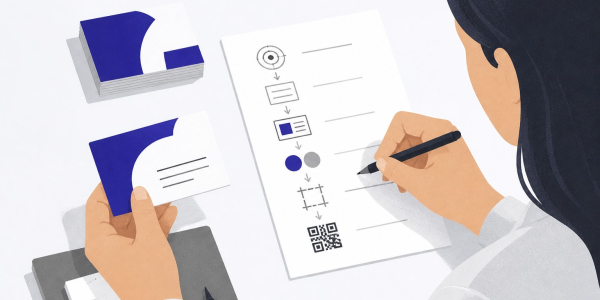
Customizing a template well comes down to a short sequence: set the size, place your brand assets, keep text inside the margins, and export in the right format.
- Confirm the dimensions. Start with 3.5 × 2 in. unless your printer specifies otherwise.
- Add your logo at full resolution. Use a vector or high-resolution file so it stays sharp at 300 DPI.
- Apply brand fonts and colors. Replace placeholder fonts with your corporate typeface where the tool allows it.
- Limit the content. Name, role, company, phone, email and one web address or QR code is usually enough.
- Check bleed and safe margins. Extend backgrounds into the bleed and keep text inside the margin.
- Export correctly. Use print-ready PDF for printers and PNG for screens.
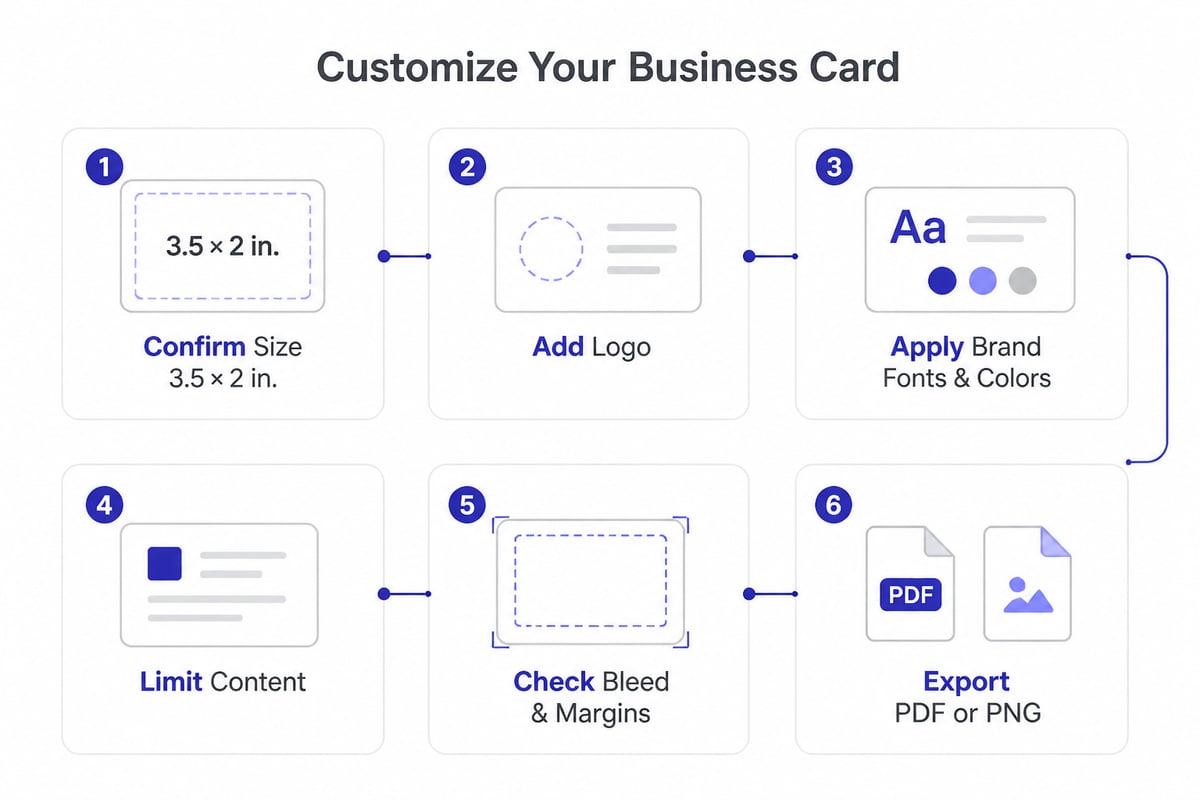
For a deeper look at layout choices, Spreadly covers premium business card design and modern business card ideas.
Where a printed template falls short for trade show teams
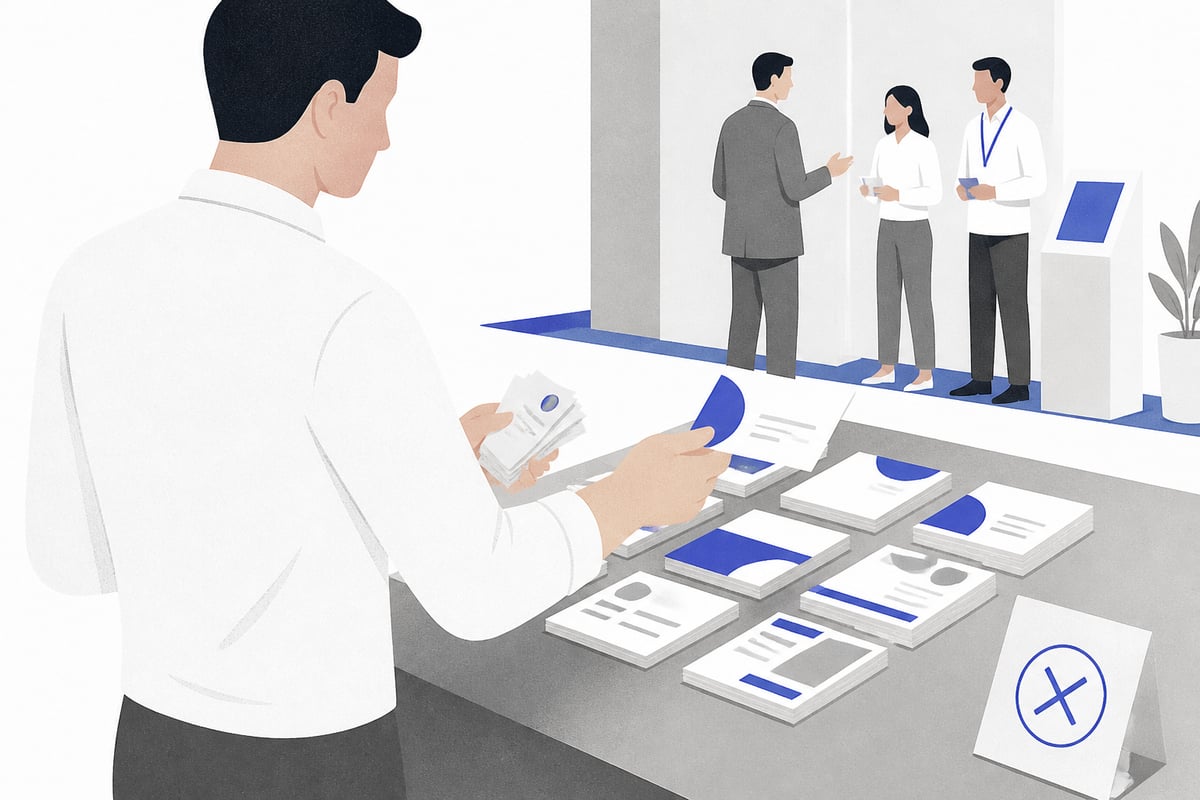
A printed business card template works for a single person, but it struggles once a whole sales team attends events across Europe. The limits show up in three places.
- Stale details. A new job title or phone number means a new design, a new print run and a pile of outdated cards.
- Inconsistent branding. When each employee edits their own template, fonts, colors and logo placement drift.
- No follow-up. A paper card gives the other person your details, but it does nothing to capture theirs or move a conversation into your CRM.
Printing also carries costs that are easy to underestimate, which Spreadly outlines in its piece on the hidden costs of paper business cards.
A digital card addresses each gap. Contact details stay current through one link and QR code, with no reprints after a job or number change. Contacts can be saved quickly, so people do not have to type or scan your details. Lead capture sends every lead with full context straight to your CRM, which matters when the event ends and follow-up speed decides the outcome. Spreadly is trusted by 250,000+ professionals worldwide and rated 4.8/5 based on 1,100+ reviews.
For events specifically, the complete guide to digital business cards for trade fairs walks through the setup.
Keeping branding consistent across a company
Consistent company branding depends on central control, not on handing every employee a template file. HR and IT teams who manage contact data often face the same problem: details change constantly, and the card is the last place to update.
Email signatures can be managed centrally, which removes one more manual task. For larger organizations, Spreadly's guide to automatically creating business cards at scale explains how card creation and updates can follow your existing employee data.
If you still need paper cards for some staff, physical NFC cards bridge the gap. A standard NFC business card links to the same digital profile, so the printed piece never goes out of date.
Choosing between a printed and a digital template
Match the format to how the card will be used, not to which template looks best on screen.
- Printed only: Use VistaPrint or Canva printing when you need a small, one-time run of paper cards and details will not change.
- Printed with design flexibility: Use Canva or Adobe Express when you want a large template library and plan to print through any supplier.
- Digital first: Use a digital card when details change, when you attend events, or when leads need to reach a CRM.
- Both: Print a small batch for formal meetings and point everyone to a digital card for everything else.
Spreadly also compares options in its guides to custom business cards and QR code business cards.
Pick one of the template sources above, set it to 3.5 × 2 inches, and draft your layout today so you have a working design before your next event. If your details change often or your team needs leads in the CRM after every conversation, the Free Digital Business Card gives you a shareable layout in seconds, and you can Try Spreadly free with no payment required to begin.