Business Cards Printing: A Practical Guide for 2026
9 minutes
7th of November 2026
In this article:
- What Does Business Cards Printing Involve From Start to Finish?
- What Size Should a Printed Business Card Be?
- How Do You Prepare Print-Ready Files?
- Which Paper Stock and Finishes Should You Choose?
- How Much Does Business Cards Printing Cost?
- Do People Still Use Printed Business Cards?
- What Should a Printed Card Include for Trade Show Use?
- Where Does Print Fall Short for Sales and Event Teams?
- How Do Digital Business Cards Compare With Printing?
- Can You Combine Printed Cards and Digital Cards?
- How Do You Choose the Right Approach for Your Team?
Business cards printing means sending a finished design to a commercial printer, who produces cards at a standard size (3.5 × 2 inches in the US, 85 × 55 mm in most of Europe) on paper stock you choose, usually in batches of 100 to 1,000. For a single run of paper cards, the process typically takes several days from file upload to delivery. For sales and event teams, the real question is how many cards you need, how often your details change, and what happens to a card after it leaves your hand.
This guide covers the practical side: sizes, file preparation, paper and finishes, cost drivers, and how to decide between print and digital for trade show work.
What Does Business Cards Printing Involve From Start to Finish?
The process runs in five stages: design, file preparation, proofing, production, and delivery. Each stage has a few decisions that affect the final result.
- Design. You create the layout in a design tool or a printer's online editor, or you hire a designer.
- File preparation. You export a print-ready file with bleed, correct color mode, and sufficient resolution.
- Proofing. The printer shows a digital proof, and some offer a physical sample for an extra fee.
- Production. Cards are printed digitally for short runs or offset for large volumes, then cut and finished.
- Delivery. Standard turnaround usually takes a few business days, with rush options at higher prices.
Digital printing suits most teams because it handles small runs without expensive setup. Offset printing becomes more cost-effective at higher volumes, particularly when you need exact Pantone color matching for brand consistency.
What Size Should a Printed Business Card Be?
Use the standard size for your market so the card fits wallets, card holders, and the scanners people use at events. A US business card has a finished trim size of 3.5 × 2 inches, according to VistaPrint's business card dimension guide, which also lists a full-bleed artwork size of 3.61 × 2.11 inches and a safe area of 3.36 × 1.86 inches.
European printers commonly work with 85 × 55 mm, though other sizes are also in circulation. Check your printer's template before you design anything, because the wrong canvas means rework.
Two terms matter here:
- Bleed: extra artwork that extends past the trim line, so a slight cutting shift does not leave white edges.
- Safe area: the inner zone where text and logos must stay, so nothing gets clipped.
Keep your name, job title, and phone number well inside the safe area. A card that looks balanced on screen can look cramped once it is trimmed.
How Do You Prepare Print-Ready Files?
A print-ready file uses CMYK color, raster images at 300 DPI, bleed on all sides, and text kept inside the safe area. VistaPrint's design rules recommend preparing raster images at 300 DPI with colors in CMYK, since screen-oriented RGB colors often print duller than expected.
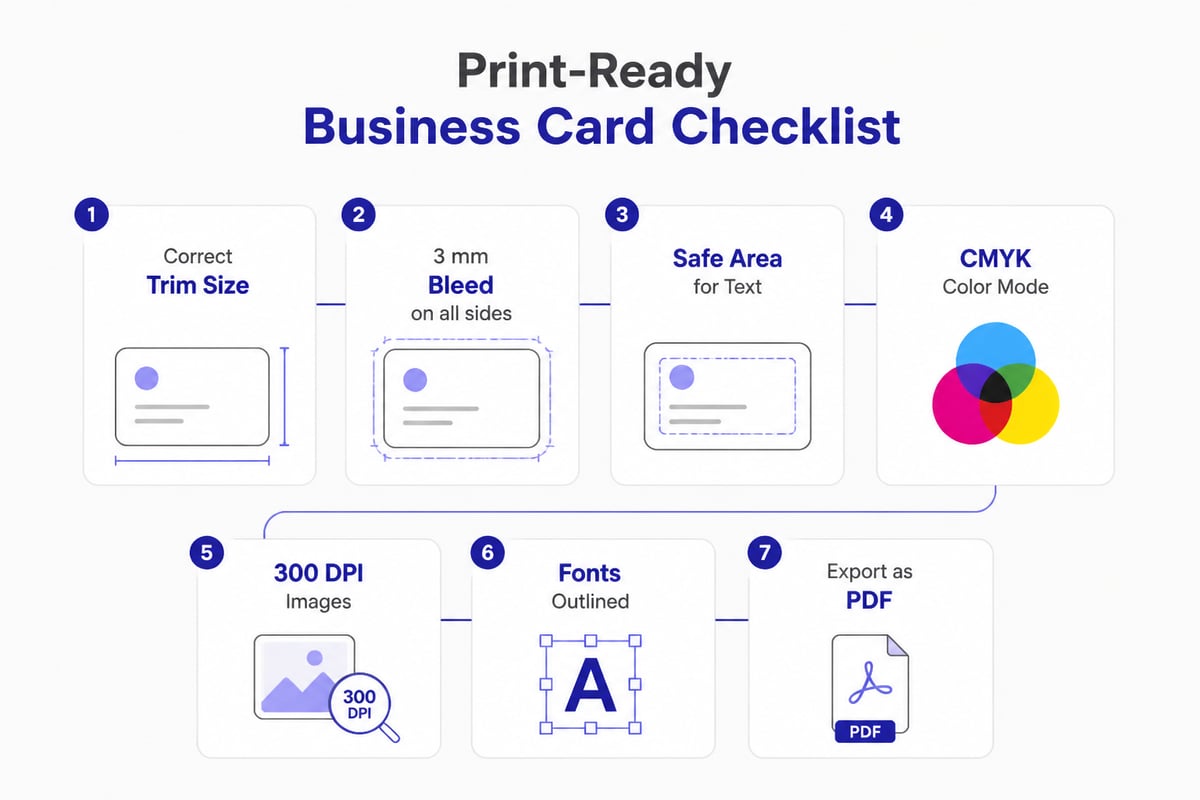
For a detailed walkthrough of dimensions, bleed, resolution, and export settings, the printer's file preparation checklist covers each step. A few habits prevent most rejected files:
- Convert or outline fonts so the printer does not substitute them.
- Export as a PDF unless the printer specifies another format.
- Avoid thin light-gray text, which tends to fade in print.
- Check contrast. VistaPrint's layout guidance recommends a contrast ratio of at least 4.5:1 for regular text and 3:1 for large text.
Proofread every number and email address twice. A wrong digit in a phone number is an expensive typo in business cards printing, because the error is multiplied across the entire run.
Which Paper Stock and Finishes Should You Choose?
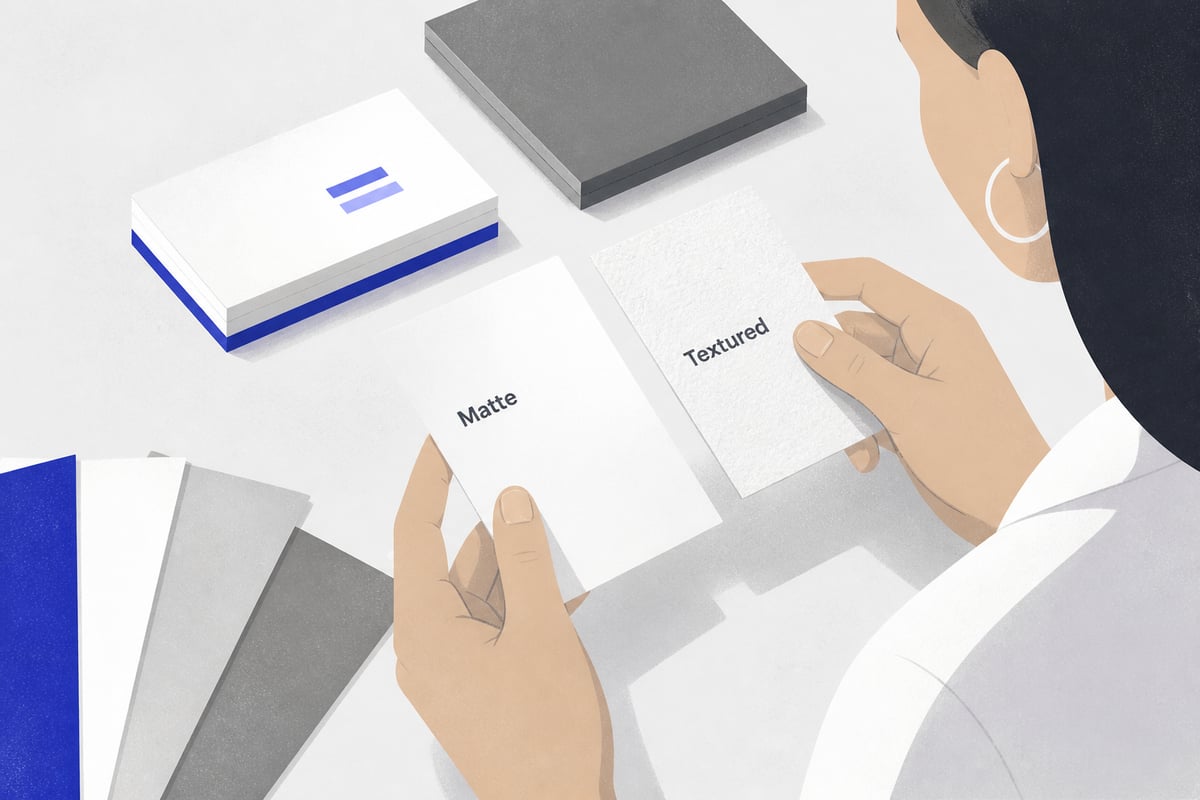
Choose stock and finish by the impression you want and the conditions the card will face. A trade show card gets handled, stuffed into pockets, and carried through a busy day, so durability matters as much as appearance.
| Option | Feel and effect | Best use |
|---|---|---|
| Uncoated matte stock | Natural, easy to write on | Notes at meetings |
| Silk or satin coating | Smooth, mild sheen | General purpose |
| Gloss coating | Vivid color, fingerprints show | Photo-heavy designs |
| Heavy stock (350 gsm and above) | Rigid, premium weight | First impressions |
| Spot UV | Raised glossy accents | Logos and highlights |
| Foil stamping | Metallic detail | Premium branding |
| Soft-touch lamination | Velvety surface | Memorable handling |
| Recycled or FSC-certified paper | Eco credentials | Sustainability-minded brands |
Finishes add cost and lead time, so apply them selectively. One well-chosen detail, such as a foil logo on a matte card, usually looks more refined than several effects competing for attention. For layout inspiration, premium business card design covers what separates a polished card from a crowded one.
How Much Does Business Cards Printing Cost?
Cost depends on quantity, stock, finish, and turnaround, and the price per card generally falls as volume rises. A basic 100-card run on standard stock is inexpensive per order but costly per card. A 1,000-card run with premium finishes costs more in total yet far less per piece.
The main cost drivers:
- Quantity: doubling the run rarely doubles the price.
- Paper weight: thicker stock costs more to print and ship.
- Finishes: foil, embossing, and spot UV each add a surcharge.
- Shape: die-cut or rounded-corner cards need tooling.
- Speed: rush production can add a significant premium.
The invoice price is only part of the story. Paper cards go out of date when someone changes role, phone number, or email, and the leftover stock gets thrown away. Spreadly's piece on the hidden costs of paper business cards breaks down reprints, waste, and staff time in more detail. If you only want a low-cost test run, free business card printing options exist, though they often add the printer's branding to the back.
Do People Still Use Printed Business Cards?
Yes, though usage is more selective than it used to be. VistaPrint's 2025 survey of US working professionals who use business cards found that most still hand them out at least occasionally, and many do so weekly.
That supports a balanced view. Printed cards still have value in face-to-face moments, particularly in industries where a physical exchange signals courtesy. At the same time, a card in a pocket is easy to lose, and the recipient still has to type the details into a phone before any follow-up can happen. For a salesperson who meets 60 people in two days, that gap between handshake and CRM entry is where leads go cold. The question of whether paper business cards are still up to date depends on how fast you need to follow up.
What Should a Printed Card Include for Trade Show Use?
A trade show card needs fewer elements than a standard card, each placed for a quick scan. Include:
- Your name and job title in a clear, readable size
- One phone number and one email address
- Company name and logo
- A website or short URL
- A QR code that opens your contact page
If you print a QR code, size and spacing decide whether it works. VistaPrint's file-prep guidance recommends a QR code of at least 0.8 × 0.8 inches, with a clear quiet zone around it, and advises testing a full-size print with multiple phones before ordering. Dark code on a light background scans best, and a glossy finish can cause glare under exhibition hall lighting, so a matte stock is the safer choice for that side of the card. Our guide to QR business cards explains how to design and test these codes.
Leave white space around your details. A card that tries to list every service, social profile, and office address becomes hard to read at arm's length across a booth counter.
Where Does Print Fall Short for Sales and Event Teams?
Print fails when details change, when volume is high, and when follow-up speed matters. Three problems come up repeatedly for teams working events:
- Stale information. A job change or new mobile number makes the whole box of cards obsolete.
- Manual data entry. Every card you collect from a prospect must be typed or scanned before it reaches your CRM.
- No context. A paper card cannot tell you which conversation it came from or what the prospect wanted next.
For companies that attend several trade shows a year, these gaps add up. A printed card also tells the recipient nothing beyond what fits on 3.5 × 2 inches, while a digital card can link to a product video, a brochure, or a meeting calendar.

How Do Digital Business Cards Compare With Printing?
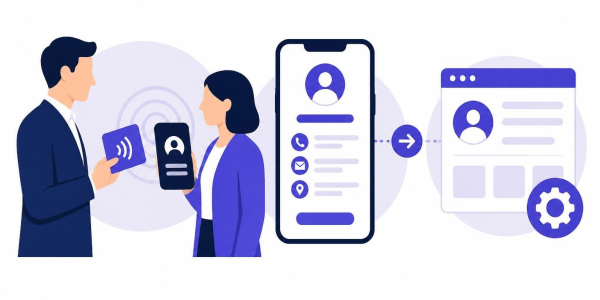
A digital card replaces the printed run with a single link and QR code that always shows your current details. Spreadly's digital cards, for example, stay current through one link and QR code, so there are no reprints after a job or number change, and contacts can be saved quickly.
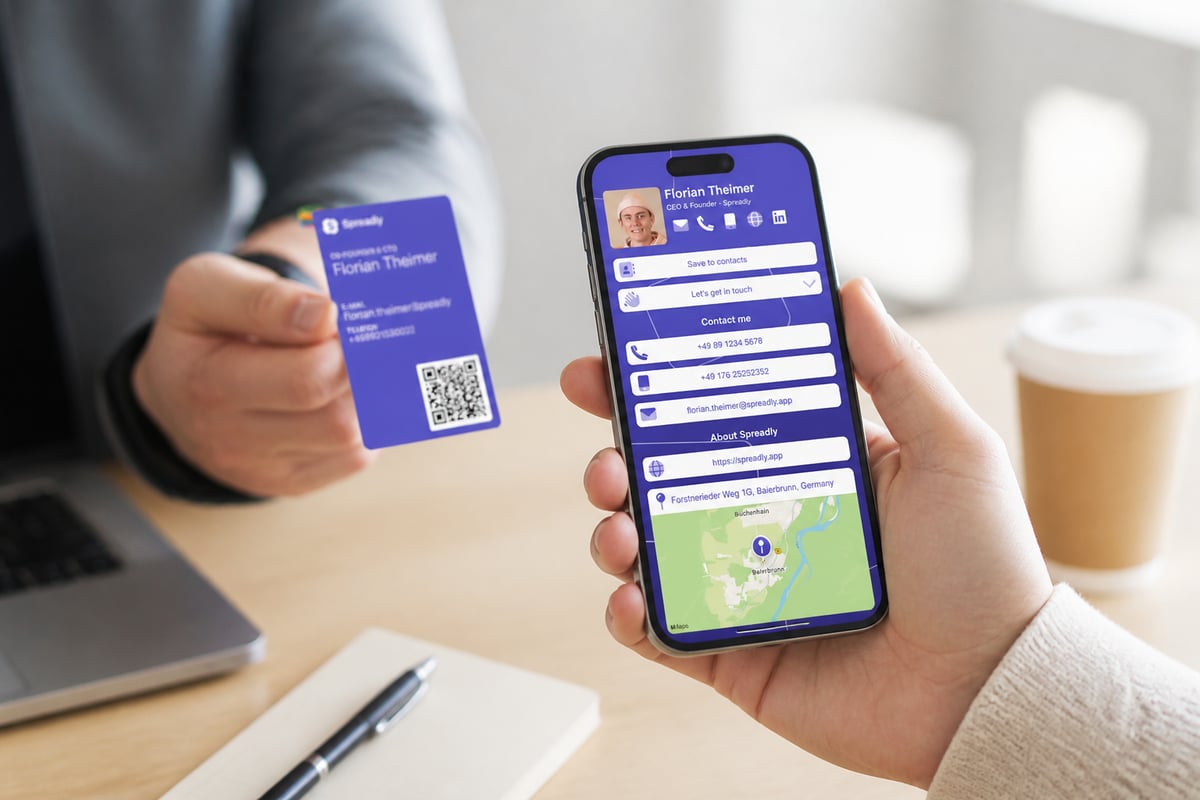
For individuals who want to see how this works before involving a team, the Free Digital Business Card can be shared through a QR code, Apple Wallet, Google Wallet, or a plain link, and it updates in real time.
The difference becomes clear in lead capture. Spreadly's lead capture sends every lead with full context straight to your CRM, which removes the evening of typing business cards into a spreadsheet after a show. Its business card scanner handles the cards you collect from others. If you want to understand how scanning feeds your pipeline, business card scanners with CRM integration explains the setup.
Scale matters too. Teams of 20 or 200 cannot realistically manage individual print orders for every hire and promotion. Spreadly supports automatic business card creation at scale through HR integrations, and email signatures are managed centrally so they stay consistent across the company. The platform is trusted by 250,000+ professionals worldwide and holds a 4.8/5 rating based on more than 1,100 reviews.
Can You Combine Printed Cards and Digital Cards?
Yes, and for many European sales teams a hybrid approach is the most practical. A small run of well-made printed cards covers situations where a physical object is expected, and a digital card handles everything else.
Two hybrid formats work well:
- Printed cards with a QR code. The paper card points to your live digital profile, so even an old card leads to current information.
- NFC cards. A tap of the card opens your digital profile on the recipient's phone. These look like a premium physical card but carry the update advantage of digital. The overview of NFC business card pros and cons helps you weigh the trade-offs.
Whichever route you take, the follow-up is what turns a handshake into revenue. If your team is building a pipeline beyond event contacts, a specialist such as Blackorange, a B2B lead generation agency focused on cold email outreach, can fill the gaps between trade shows. Printed or digital, the card is only the first step in a sequence that includes a prompt, personal message within a day or two.
How Do You Choose the Right Approach for Your Team?
Match the format to your volume, your update frequency, and your follow-up process. A short decision path helps:
- How often do details change? If people change roles, mobile numbers, or offices regularly, digital saves repeated reprints.
- How many events do you attend? Several shows a year with many contacts per show favors digital lead capture and CRM sync.
- Is a physical object part of your brand? Premium industries may still want a high-quality printed card as a courtesy.
- How fast do you follow up? If the goal is same-day outreach, avoid anything that requires manual typing.
- Do you need brand consistency across a large team? Central management beats individual print orders.
If you decide to print, order a small first batch, test every QR code on several phones, and keep your design files organized so reorders stay consistent. If you decide to go digital, choose a platform that connects to your CRM, because that integration, more than the card design, determines how quickly leads get a reply.
Start by listing the next three events on your calendar and counting how many contacts your team expects to collect, because that number tells you whether printing alone can keep up. If you want those contacts in your CRM before the booth is packed away, set up a card in Free Digital Business Card and test the QR code at your next show. When you are ready to roll it out across a team, Try Spreadly free and see how a single link replaces the reprint cycle.