Digital Background with Contact Info: Setup Guide 2026
12 minutes
10th of June 2026
In this article:
- Understanding Digital Backgrounds with Contact Information
- Design Principles for Professional Virtual Backgrounds
- Technical Setup and Platform Integration
- Creating Your Digital Background Assets
- Strategic Implementation for Sales and Networking
- Brand Consistency and Corporate Standards
- Advanced Features and Interactive Elements
- Measuring Effectiveness and Optimization
- Integration with Broader Digital Presence
- Industry-Specific Applications
- Technical Troubleshooting and Common Issues
- Future Trends and Emerging Technologies
- Best Practices Checklist
Remote work and virtual meetings have transformed how professionals network and share information. A digital background with contact info serves as a persistent branding tool during video calls, webinars, and virtual conferences. This approach turns every video interaction into a networking opportunity by displaying your essential contact details, social media handles, and professional information behind you throughout the conversation. As virtual meetings continue to dominate business communications in 2026, optimizing this space has become a critical element of professional presence and lead generation.
Understanding Digital Backgrounds with Contact Information
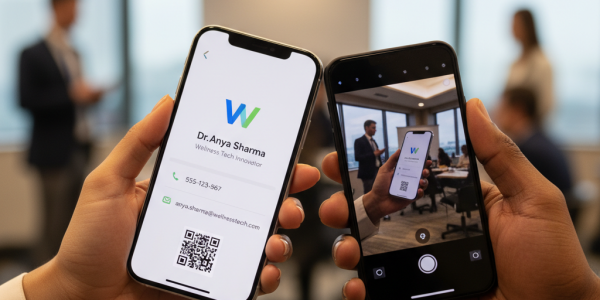
A digital background with contact info combines virtual background technology with strategic information display. Instead of showing a plain office or generic image during video calls, professionals display branded backgrounds featuring contact details, QR codes, website URLs, and social media handles.
This concept extends beyond simple aesthetics. When implemented correctly, these backgrounds function as always-visible business cards that work passively while you focus on conversation. Participants can screenshot the call or reference the visible information without interrupting the flow of discussion.
Core Elements to Include
Essential contact components should balance visibility with simplicity:
- Full name and professional title
- Company name and logo
- Primary phone number or email address
- Website URL or landing page
- LinkedIn profile or key social platform
- QR code linking to digital business card
The placement and size of these elements determine readability across different screen sizes and video platforms. Text should remain legible even when your video appears in a small tile during group calls.

Design Principles for Professional Virtual Backgrounds
Creating an effective digital background with contact info requires understanding both visual design and technical constraints. Video compression, lighting variations, and platform-specific rendering affect how your background appears to viewers.
Contrast and readability form the foundation of functional design. Dark text on light backgrounds or light text on dark backgrounds ensures information remains visible regardless of your clothing choices or room lighting. Avoid mid-tone backgrounds that can blend with skin tones or create visual confusion.
Typography and Sizing Guidelines
Font selection impacts both professionalism and legibility:
| Element | Recommended Size | Font Style |
|---|---|---|
| Name | 48-72pt | Bold, Sans-serif |
| Title/Company | 32-48pt | Medium weight |
| Contact Details | 24-36pt | Regular weight |
| Website/Social | 20-28pt | Regular or light |
Sans-serif fonts like Arial, Helvetica, or Roboto perform better in video compression than decorative or serif fonts. Maintain consistent font families across all elements to preserve professional cohesion.
Color psychology influences how viewers perceive your brand. According to design best practices for digital business cards, colors should align with your industry standards while maintaining sufficient contrast ratios for accessibility.
Layout Composition Strategies
Position contact information strategically to avoid obstruction by your video feed. Most video platforms place the active speaker in the lower third or lower corner of the screen.
- Top corners: Ideal for logos and company branding
- Upper third: Perfect for name and title placement
- Side margins: Best location for vertical contact lists
- Bottom corners: Strategic QR code positioning (opposite your video feed)
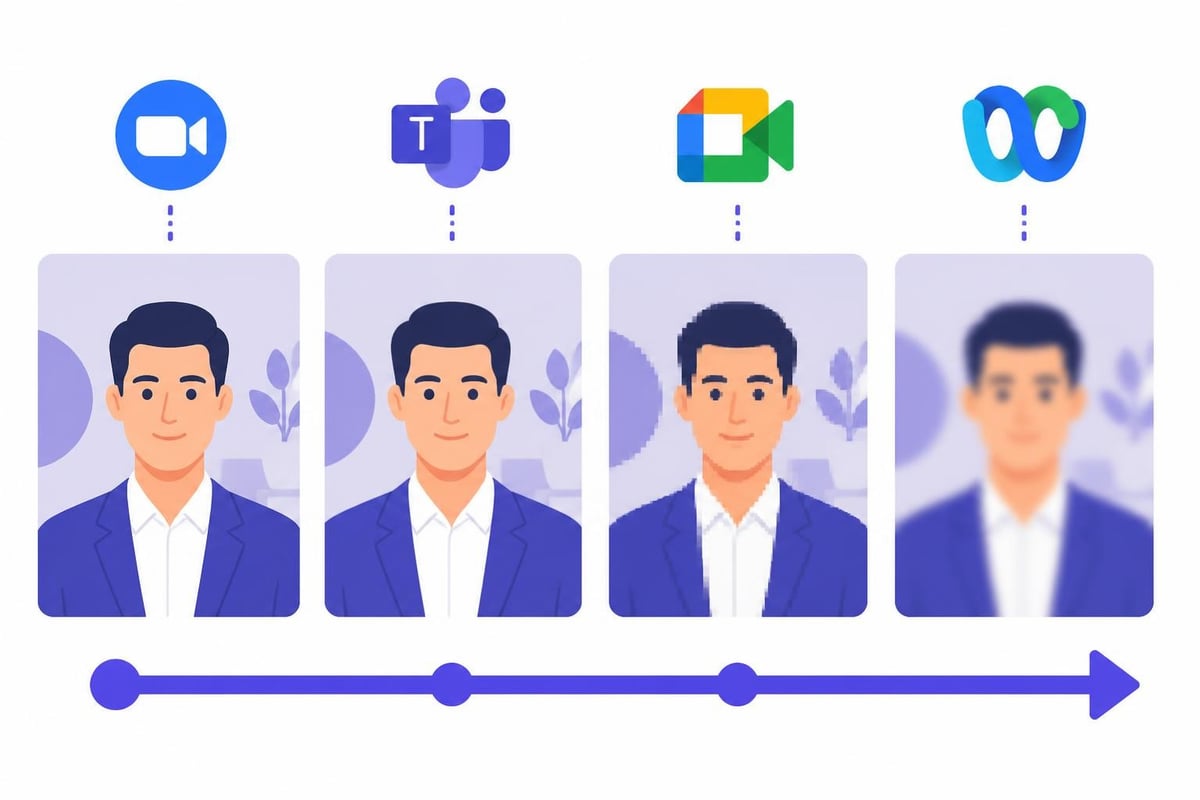
Test your background across multiple platforms including Zoom, Microsoft Teams, Google Meet, and WebEx to ensure consistent rendering and positioning.
Technical Setup and Platform Integration
Implementing a digital background with contact info requires understanding platform-specific requirements and limitations. Each video conferencing tool handles virtual backgrounds differently, affecting image resolution, file formats, and refresh rates.
Resolution and File Format Specifications
Optimal technical specifications ensure crisp display:
- Resolution: 1920x1080 pixels (Full HD) minimum
- Aspect ratio: 16:9 for standard displays
- File format: JPG or PNG
- File size: Under 5MB for quick loading
- Color profile: sRGB for consistent color reproduction
Higher resolutions provide sharper text rendering but may cause performance issues on older computers or slower internet connections. PNG files support transparency but increase file size compared to JPG compression.
Platform-Specific Considerations
Different video conferencing platforms handle custom backgrounds with varying levels of sophistication:
| Platform | Max Resolution | Recommended Format | Special Features |
|---|---|---|---|
| Zoom | 1920x1080 | JPG/PNG | Virtual background library |
| Microsoft Teams | 1920x1080 | JPG/PNG | Background blur option |
| Google Meet | 1920x1080 | JPG | Limited custom options |
| WebEx | 1920x1080 | JPG/PNG | Background replacement |
Testing across platforms reveals how compression algorithms affect text clarity and color accuracy. Some platforms apply aggressive compression that can blur fine details or alter color balance.
Creating Your Digital Background Assets
Producing a professional digital background with contact info doesn't require advanced design skills, but attention to detail separates effective backgrounds from amateur attempts.
Design Tool Options
Professional software offers precise control over layout and typography:
- Canva: Template-based design with drag-and-drop interface
- Adobe Photoshop: Advanced editing and layer control
- PowerPoint/Keynote: Simple slide-based creation
- Figma: Collaborative design with exact specifications
Free tools provide sufficient functionality for basic backgrounds, while professional software enables advanced features like gradient backgrounds, subtle animations, and precise color matching to corporate brand guidelines.
Information Hierarchy and Visual Flow
Organize information based on importance and viewing patterns. Eye-tracking studies show viewers scan virtual backgrounds in an F-pattern, focusing first on the top-left corner before moving right and downward.
Primary information (name and title) should occupy the most prominent position. Secondary details (contact methods) follow in a logical sequence. Tertiary elements (social media handles or additional URLs) appear in supporting positions.
Consider how digital business card best practices apply to virtual backgrounds. The same principles of simplicity, clarity, and focused messaging translate directly to this format.
Strategic Implementation for Sales and Networking
A digital background with contact info transforms passive video time into active lead generation opportunities. Sales professionals, consultants, and networkers leverage this persistent visibility to increase contact sharing without explicit requests.
Lead Capture Through QR Codes
QR codes embedded in virtual backgrounds enable instant contact exchange. Participants scan the code during or after calls to access your complete digital business card, schedule meetings, or download resources.
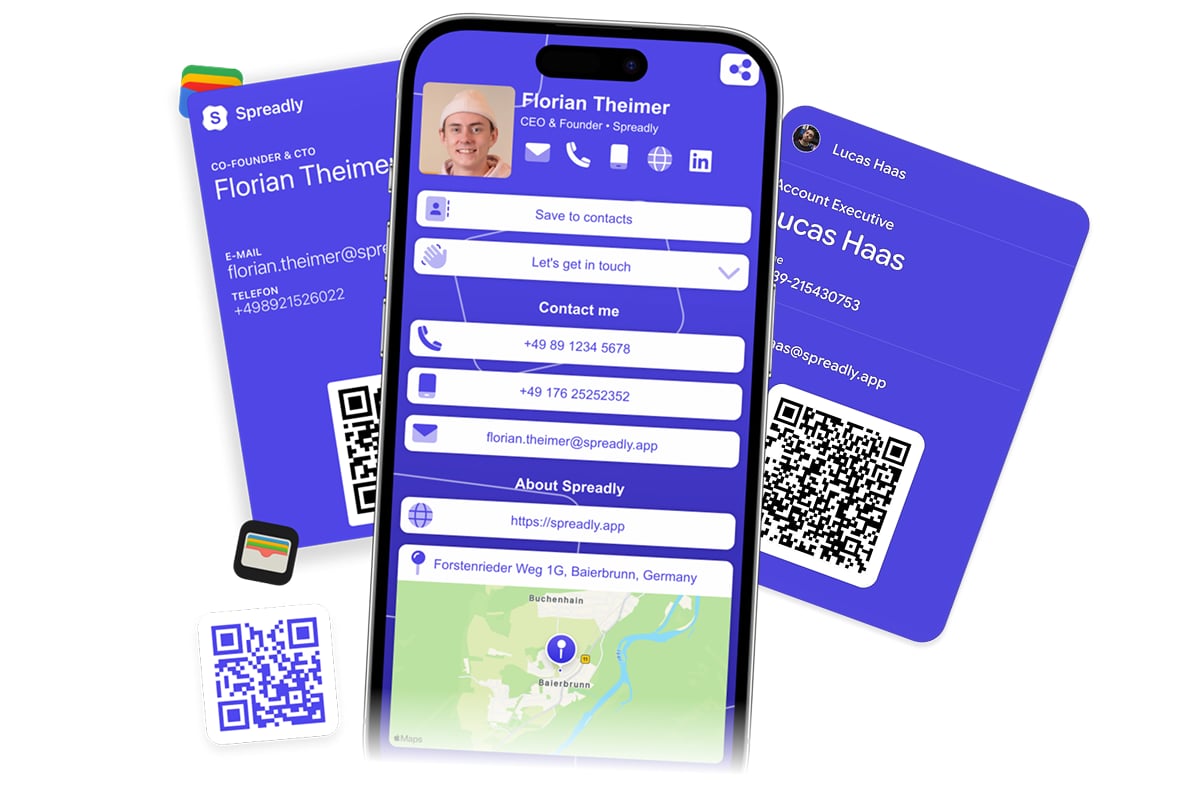
Modern platforms like Spreadly's digital business card service generate dynamic QR codes that link to comprehensive contact profiles. These profiles update automatically when you change phone numbers, email addresses, or job titles, ensuring the QR code on your background always directs to current information.
QR code optimization follows specific guidelines for virtual backgrounds:
- Minimum size of 200x200 pixels for reliable scanning
- High contrast against background color
- Quiet zone (white space) around the code
- Test scanning from various distances and screen sizes
- Include brief text label ("Scan for Contact Info")
Position QR codes where they remain visible but don't dominate the composition. Lower corners typically provide the best balance of visibility and aesthetic integration.
Multi-Channel Contact Strategy
Displaying multiple contact methods accommodates different communication preferences. Some prospects prefer email, others favor phone calls, while many default to LinkedIn connection requests.
Strategic contact method selection includes:
- Primary email for formal communications
- Direct phone line for urgent discussions
- LinkedIn URL for professional networking
- Twitter/X handle for industry thought leadership
- Website landing page for comprehensive information
According to optimization strategies for digital business cards, offering 3-5 contact methods provides sufficient options without overwhelming viewers with choices.
Brand Consistency and Corporate Standards
Organizations implementing digital backgrounds with contact info across teams must balance individual personalization with corporate branding requirements. Centralized design systems ensure every team member presents a cohesive visual identity during external communications.
Template Systems for Teams
Standardized templates maintain brand integrity while allowing personalization:
- Locked brand elements (logos, colors, fonts)
- Editable fields (name, title, department)
- Pre-approved layouts for different roles
- Version control for updated designs
- Distribution systems for quick deployment
Teams using digital business cards for enterprises often extend the same branding to virtual backgrounds, creating seamless visual consistency across all digital touchpoints.
Compliance and Information Security
Including contact information in virtual backgrounds raises data privacy considerations. European companies must ensure GDPR compliance, while various industries face sector-specific regulations about information display.
Security considerations include:
- Personal vs. corporate contact details
- Information visible in recorded meetings
- Screenshot and sharing implications
- Access control for internal vs. external calls
- Regular audits of displayed information
Organizations should establish clear policies about what information appears on virtual backgrounds and provide guidance for different meeting contexts. Internal team meetings may warrant different backgrounds than client presentations or public webinars.
Advanced Features and Interactive Elements
Sophisticated implementations of digital backgrounds with contact info extend beyond static images to include dynamic elements and conditional displays.
Animated and Video Backgrounds
Some platforms support video file backgrounds, enabling subtle animations that draw attention to contact information without distraction. Motion graphics can highlight QR codes, cycle through multiple contact methods, or display social proof elements like client logos.
Animation best practices for professional contexts:
- Keep motion subtle and slow-paced
- Loop seamlessly without jarring transitions
- Maintain readability throughout animation cycle
- File size under 10MB for performance
- Test across bandwidth conditions
Excessive animation creates distraction and may appear unprofessional. The goal remains clear information display, not entertainment value.
Context-Specific Background Variations
Creating multiple versions of your digital background with contact info allows adaptation to different scenarios:
| Context | Featured Information | Design Emphasis |
|---|---|---|
| Sales Calls | Phone, scheduling link, QR code | Call-to-action oriented |
| Webinars | Website, social media, resources | Broad reach focus |
| Team Meetings | Department, internal extension | Organizational clarity |
| Conferences | LinkedIn, Twitter, company info | Networking priority |
Switching backgrounds based on meeting type optimizes the information for each audience's needs and expected follow-up actions.
Measuring Effectiveness and Optimization
Tracking the impact of your digital background with contact info helps refine design and information selection. While direct attribution proves challenging, several indicators reveal effectiveness.
Key Performance Indicators
Measurable outcomes include:
- QR code scan frequency and timing
- Increases in profile visits or website traffic
- LinkedIn connection requests following calls
- Email volume to displayed addresses
- Meeting booking rates via embedded links
Analytics platforms connected to QR codes or trackable URLs provide concrete data about background engagement. Comparing periods before and after implementing contact-enhanced backgrounds reveals impact on networking efficiency.
A/B Testing Variables
Systematic testing identifies optimal design elements:
- Information density: Minimal vs. comprehensive contact details
- QR code placement: Different corners and sizes
- Color schemes: Various brand-compliant palettes
- Typography: Font families and size hierarchies
- Layout orientation: Horizontal vs. vertical information flow
Test one variable at a time over sufficient sample sizes to determine statistical significance. What works for one industry or role may not transfer to different professional contexts.
Integration with Broader Digital Presence
A digital background with contact info functions as one element within a comprehensive digital identity ecosystem. Consistency across all platforms amplifies recognition and reinforces professional branding.
Cross-Platform Consistency
Aligning your virtual background with other digital assets creates cohesive brand recognition:
- Match email signature design and information
- Coordinate with LinkedIn banner imagery
- Align with website header or footer design
- Mirror business card layout and hierarchy
- Synchronize with presentation templates
This consistency helps contacts recognize your materials across different channels and touchpoints. When someone receives your email after a video call, visual continuity reinforces the connection.
Digital Business Card Synchronization
The most effective implementations link virtual backgrounds to comprehensive digital business cards. Rather than cramming all information onto the background, display essential details while directing viewers to a complete contact profile via QR code or URL.
Understanding how to create effective digital business cards informs which elements belong on the virtual background versus the linked profile. The background serves as a teaser or billboard, while the full digital card contains detailed information, media, scheduling tools, and lead capture forms.
Modern solutions enable automatic updates across both assets. When you update your phone number or email address in your digital business card system, the change propagates to your virtual background without manual recreation.
Industry-Specific Applications
Different sectors leverage digital backgrounds with contact info in unique ways that align with professional norms and client expectations.
Sales and Business Development
Sales professionals use virtual backgrounds to maintain visibility during lengthy demo calls or multi-stakeholder meetings. Including calendar booking links reduces friction in scheduling follow-ups, while QR codes enable instant contact capture without disrupting conversation flow.
Sales-optimized elements include:
- Direct dial phone number for urgent questions
- Calendar link for immediate meeting scheduling
- Case study or demo request URL
- Social proof elements (awards, certifications)
- Clear value proposition tagline
Consulting and Professional Services
Consultants and service providers benefit from backgrounds that communicate expertise and credibility. Industry certifications, professional designations, and thought leadership platform links establish authority during initial calls with prospects.
Real Estate and Client-Facing Roles
Real estate agents, financial advisors, and other client-facing professionals use virtual backgrounds to display licensing information, office locations, and multiple contact methods. Property listings or market updates can rotate in animated backgrounds for agents conducting virtual tours.
Technical Troubleshooting and Common Issues
Even well-designed digital backgrounds with contact info encounter technical challenges across different platforms and network conditions.
Green Screen and Lighting Problems
Virtual background quality depends heavily on proper lighting and, optionally, green screen technology. Poor lighting causes edge artifacts where contact information bleeds into your silhouette or vice versa.
Lighting optimization improves background clarity:
- Front-facing key light eliminates shadows
- Avoid backlighting that creates silhouette effects
- Even, diffused lighting reduces harsh contrasts
- Ring lights provide consistent illumination
- Test backgrounds in actual meeting lighting conditions
Green screens enable cleaner background replacement but require proper setup and distance from the subject to avoid color spill.
Platform Compatibility Challenges
Some video platforms limit virtual background features to specific subscription tiers or device types. Mobile devices may not support custom backgrounds, or may render them at lower quality than desktop applications.
Research security considerations for digital business cards extends to virtual backgrounds, as information displayed during recorded meetings becomes part of permanent records. Ensure you're comfortable with contact details appearing in screenshots and recordings.
Performance and Bandwidth Optimization
Large background files or video backgrounds consume processing power and bandwidth. During video calls with unstable connections, complex backgrounds may cause frame rate drops or quality degradation.
Performance optimization tactics include:
- Compress images to minimum viable file size
- Use JPG for photos, PNG only when transparency needed
- Disable virtual backgrounds on slow connections
- Keep backup simple backgrounds for technical issues
- Test backgrounds on minimum-spec devices
Future Trends and Emerging Technologies
The evolution of virtual meeting technology continues to expand possibilities for digital backgrounds with contact info. Emerging capabilities will enable more sophisticated and interactive implementations.
Augmented Reality Integration
AR-enhanced video platforms may soon allow three-dimensional contact information that appears to float in space around participants. Gesture controls could enable viewers to interact with displayed contact details directly during calls.
AI-Powered Dynamic Backgrounds
Artificial intelligence could automatically adjust displayed information based on meeting context, participant roles, or conversation topics. Machine learning algorithms might optimize information display based on which elements generate the most engagement.
Interactive Contact Capture
Future platforms may enable viewers to click or tap contact information directly within video feeds to save details or initiate communication. This would eliminate the need for QR codes or manual note-taking during calls.
According to comprehensive guides on digital business card trends, the convergence of virtual backgrounds and digital business cards represents a natural evolution in professional digital identity management.
Best Practices Checklist
Implementing an effective digital background with contact info requires attention to multiple factors. This comprehensive checklist ensures professional results:
Design and Content:
- Contact information current and accurate
- Typography legible at various screen sizes
- Colors provide sufficient contrast
- Brand consistency with other materials
- QR code tested and functional
- Information hierarchy clear and logical
Technical Requirements:
- Image resolution 1920x1080 or higher
- File size optimized for quick loading
- Format compatible with target platforms
- Tested across multiple video applications
- Performance verified on various devices
- Backup versions for different contexts
Professional Standards:
- Information appropriate for public display
- Compliance with corporate branding guidelines
- Privacy considerations addressed
- Legal and regulatory requirements met
- Cultural and industry norms respected
- Accessibility standards considered
Ongoing Maintenance:
- Regular updates when information changes
- Periodic design refreshes
- Performance monitoring and optimization
- Effectiveness measurement and analysis
- A/B testing for continuous improvement
- Backup systems for technical failures
Implementing a digital background with contact info transforms every virtual meeting into a networking opportunity while maintaining professional standards and brand consistency. The strategic display of essential contact details, QR codes, and calls-to-action enables passive lead generation throughout your video interactions. Spreadly offers the perfect complement to your virtual backgrounds with customizable digital business cards that connect seamlessly via QR codes, ensuring your contact information stays current across all channels while providing rich media capabilities, lead capture forms, and instant sharing options for modern professionals and teams.